Get Premium
Dark mode theme is available exclusively for premium users. Learn more about the benefits of subscribing.
No fees, cancel anytime.

 Dark Mode Ad-Free Browsing Unlimited Content
 Ad-Free Browsing Unlimited Content Dark Mode
Join 1.2 million Panda readers who get the best art, memes, and fun stories every week!



Despite being around for multiple decades at this point, some folks simply do not really get how to interact with a computer. This can be pretty frustrating if you need them to do something on said computer, but also quite hilarious when you encounter the janky, bizarre and downright counterproductive ways they do the most simple tasks.
Someone asked “What’s the worst case of computer illiteracy you’ve seen?” and netizens shared their best stories. So get comfortable as you scroll through, upvote your favorites and be sure to write your own thoughts and experiences in the comments section below.
This post may include affiliate links.
 This was 10+ years ago. Anytime the house WiFi wasn't working well, my roommate would unplug the Ethernet cable from the modem and the router and hold it up and down (like you would hold a hose to drain the water out) to "let the electrons drain out" so the internet wouldn't be clogged. I tried to explain this wasn't how Ethernet worked but he said the cable technician told him to do this, and that was the end of the matter. The thing is it usually worked because it reset the internet connection, just not for the reason he thought it did.

Wonder if the tech was being silly or this was the only way to get them to unplug the router.
 I knew someone who once put their credit card in the floppy disk drive to make an online purchase.
 My mom was trying to move ~200 pictures from one folder to another. Her approach was to open one picture, do Save As, save it to the other folder, and then delete the original. One by one. When I tried to explain that she could click-and-drag the whole thing over in two seconds, she said "that wouldn't be any faster than the way I do it!"
She would also "save" pictures she found online by copying them, opening Microsoft Word, pasting it in there, and saving it as a .docx file. And she would try to "open" jpegs by right clicking on them, choosing "Open With," and selecting Microsoft Word.
 Oh goodness so many stories...
As a student working in college I had the ticket for a computer that wouldn't boot. Showed up to find over a dozen refrigerator magnets stuck to the outside of the case.
There was also the prof trying to upgrade Windows (he had 3.1) via floppy disk (I forget how many discs, his PC didn't have a CD drive, but it was a lot) on his 386 that he refused to replace/upgrade.
EDIT: Those are old stories - more recently we had the new hire (19 yo in 2023) that we had to explain what a Start button on Windows was and how and where "File->Save" was and what it meant. Kids that have only been exposed to phones/tablets are the bane of my existence these days.
 I was once trying to teach someone how Windows Explorer worked. For whatever reason, they could not grasp the concept of using folders to store documents. I had to get an actual folder and piece of paper out to demonstrate putting paper into the folder before she was able to grasp the concept.

I used this technique to teach my dad. "This is the desktop, its just like you have a desk sitting in front of you with stuff on it. This is a folder... etc."
 My grandfather typed "big boobs" as his facebook status like, 15 times in a 5 minute span... I think I understand what he was trying to do...

 I worked at the head office of a major UK company. They hired a woman as a website administrator and, on her first day of training, asked her to click on something. She just stared blankly, and they repeated, click on it with the mouse. The what? Was her reply. They had interviewed her for the job and it turned out that in 2004 she had somehow never used a computer that had a mouse. I don't think she made it past lunchtime.
 I worked for a law firm, and one of the administrators would print the PDF of the case from her email. She would then scan it back to her computer because it "downloaded to the documents folder so she could move to the case folder."
I told her she could just click the down arrow and download it, then move the file, saving hundreds of sheets of paper. She said that was too complicated.
She only lasted a few months before she was fired.
Edit: I thought of another one. Lawyers are not smart when it comes to electronics. Same law firm, a lawyer was afraid the cleaning crew was going to steal her laptop. So she took her trash can and shoved it under her desk. Put her laptop in the trash and covered it with paper towels. Of course, the cleaning crew empties her trash. They find the laptop and put it aside in the cleaning crews supervisor office because they thought it was weird we'd throw a laptop away that looked brand new.
 Around 2016, I watched my brother (in his 30s) open safari browser and click in the search bar to type out “www.yahoo.com” and hit enter and then click in the search bar on yahoo’s homepage to type “Google”….
 The whole family has used emails for years, the other day I had to send one for my dad, and he said something in the line of "send both files in one email, so you don't have to pay twice".

Still using AOL metered account or similar? God knows how much that has cost over time.
 My employer hired someone to work for me doing tech support. In the first few days I had to show her how to open Outlook, create a new email, where to put the recipient address, etc. Had to show her multiple times how to open Excel, let alone use it. She never did get the hang of email, eventually we concluded she actually couldn’t read and we had to let her go. This was in the early 2000’s and she was probably in her 30’s at the time.

...did they not do an interview, or literally ask her any question? surely literally a single question would've exposed her????
 My sister places every file she creates on the desktop. She does not understand folders. She cannot move a window around on the screen, she cannot resize a window except by the minimize and restore buttons in the upper right corner. She does not understand if she is using Google and wants to change to a different search she does not have to close and reopen Google but can use tabs.
 The guy who wanted to know why his computer didn’t work during a power outage.
 About two years ago my mom got a laptop again after refusing to go anywhere near one for about a decade and…hoo boy did I lose brain cells being her tech support. A couple times she called me for help logging in when the device was literally telling her exactly what to do. Another time she asked me to log her out of her Google account but only that, not the whole laptop please, reasonable enough request—if it hadn't been a Chromebook, where apparently *everything* goes through your Google account. I tried to explain that to her and she went, "I don't care for your theories, just tell me what buttons to press."
Mother, that's what I'm trying to explain to you. THERE ARE NO F&%$ING BUTTONS.

I feel this is my soul! I've had to teach my Grandpa all sorts of things over the years about his computer and he's so stuck in his ways that if there's an easier way to do something I taught him 10 years ago he doesn't want to learn it because of his "if it ain't broke don't fix it" type of mentality. Don't get me started on teaching him how to use his smart phone!!
 I was helping someone with a website for their small business.
I told them I put an "alt" tag on some of the photos that would show text when they put their mouse over it, and to try it out.
He literally picked up his mouse and placed it on the screen.
I fell on the floor and almost pissed myself.

 Growing up in the 90s, I remember seeing multiple adults try to yell commands at a computer screen. They didn't understand about standard I/O like keyboards and mice because their only concept of computers was from watching Star Trek.
 Ahhhh all of Germany!
One company I work with knows that our system is to send finalized PDFs of their documents before they are included in a publication and that they should add comments and return. Different stakeholders should comment in different colors if they can't figure out how to note otherwise.
This company prints the PDFs (huge documents), sends them around their department for individual, handwritten makeup in various colors, scans that doc and sends it to their foreign offices for makeup where it is repeated, and red and that three timed scanned copy to us.. all in black and white.
No 90's era homework packet image quality can rival it.

This is similar to how message traffic was generated when i was a communications electronics technician (aka radioman) on a submarine. People would type up a message and email to radio, we would format/edit it properly then we had to print it out and hand route it to the various people we needed to. If changes were made we had to go back and edit the doc, print again and reroute by hand. Keep doing that until the captain signed off on it to be transmitted. The last year i was aboard we finally had a fully electronic method of routing created by one of the junior enlisted in my division. Streamlined the process
 When I connect my new mouse my keyboard stops working.
You guessed right, he unplugged his keyboard instead of his old mouse.
Sold a computer on craigslist about 10 years ago. Keyboard, mouse, LCD monitor, and cables.
He took it home, and said it didn't work, the screen would stay blank when he powered it on.
When he brought it back, he was pressing the power button on the LCD monitor, not the computer.
 I’m a teacher and one of my coworkers a few years ago had no understanding of the difference between the desktop and internet browser. She only ever had Chrome maximized and did not understand in any way what other programs were or a desktop with icons or anything. This was around 2017 and she was mid-30s so I don’t think she was only familiar with Chromebooks but maybe?
I also spent an entire year showing a coworker how to attach a pdf to an email on a weekly basis. Every week she was so thankful I showed her because “I never learned this before!” It eventually got so bad that I took it to administration because I was worried about her mental capacity. They concluded she was just lazy. Three years later and I’m working with her again and showing her how to attach a pdf to an email. “Thank you! I’ve never learned this before!”.
I used to do tech support over the phone. I once asked a lady if she knew what version of Windows she was using. She proceeded on at least a 3 minute tirade about how she didn't find my question funny and said "there's nothing wrong with my house windows! I'm calling about my god damn computer!" and how she demanded to speak to my supervisor because I was wasting her time and wasn't trying to help her. Mind you, this all happened less than 10 minutes into the call. I tried explaining what Windows was to her but I couldn't get two words in without being interrupted so.... 🤷🏻♂️.

Chances are overwhelming that even when and if she comprehended what you meant she would be unable to answer.
In the 90’s, as a junior doing IT support, got a call for a file search/undelete.
The lady was following a guide. Every time she saved a document, she named it…
Literally …
YourDocumentNameHere. Every time!! Confirming the Overwrite? with a Yes.
She called me to find an older document from last week, to edit a page on a 400 page contract.
I found a single file of course. Told her boss she needs to retype from scratch, just that page, then do photocopies. Else retype all 400 pages.
Then left for next client.
That boss called my boss, really angry. Had a meeting with HR and boss, they never checked my version.
I had to explain step by step, the HR lady didn’t get the problem either at first. My boss sure did.
I got written up, to shut up the other boss, the reason? Being impolite.

My dad spent actual months trying to add information to a file by opening a brand new blank file, adding the new sentence, confirming the override and then saving with the original name. He was always outraged when the computer failed to somehow insert the information into his file in the plane he imagined it should go. I explained with much patience, we went to a real physical filling cabinet and I showed him that what he was doing was the equivalent of taking blank paper, writing a sentence then just pushing it into the filling cabinet then giving permission for all previous documents to be shredded. He couldn't grasp this because "computers are supposed to be better" - they don't read your mind about what you meant when you told them to definitely not do that!
 This just happened last Friday. I am a new legal secretary in a small law firm where the partners have been in business for 50 years. Part of my job is to print every email that comes in and of course people always send big fat attachments Friday at 4:55.I had some emails queued up to print and since it was already 10 minutes after I was supposed to be gone I asked the managing partner if he would shut down the computer after it finished printing. He did not know how to shut down a computer.
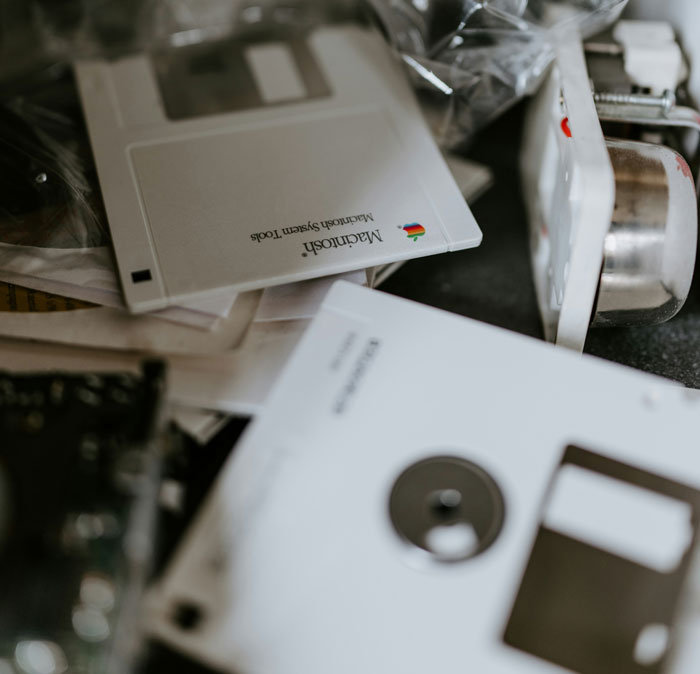 Remember floppy disks? I once saw a grown man using a rubber pencil eraser to "erase the files" on his disk.
On a separate occasion, during the dial-up modem period of the internet, I saw a Dad yelling at a kid for dialing up the home access number while on vacation in Hawaii. They got a $3200 phone bill at checkout for him playing Dungeons and Dragons with friends all night.
I saw a secretary use white out correction paste on a printout.
The white-out on a printout may be understandable. Possibly printed out a pdf or another document that they could not edit.
 I work in a call centre, and one of my jobs is helping the call centre clients with basic computer troubleshooting.
It is..an interesting task trying to explain to a man who makes more than I do and has been working the same job since longer than I've been alive where and what the start button is.
I was providing remote support for a factory and got a call from the plant manager who was trying to do a tour, he couldn’t log into a system. Turned out he was typing his username and password but then not pressing “ok”. He called me to ask how to log in while he had an audience. .
There was a lady in the office in an admin-kind of role. She didn’t know about copy and paste.
She had to send out a lot of almost identical letters, only the names and a code/number would change. She would type the whole thing out.
It blew my mind.
A friend asked me to print out her daughters homework so she sent me a whats app.
It was a screen grab from her phone of the school dojo website where someone had uploaded a photo of the physical homework printout that itself was a print screen as you could see the tabs open and the paper sat on a desk.
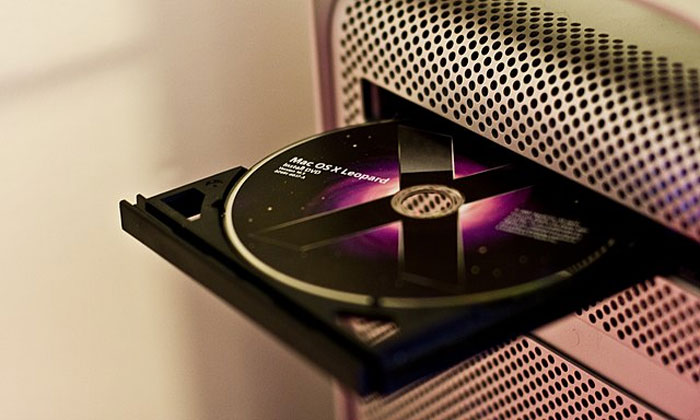 Ages and ages ago a gentleman came in for a computer repair as his “cupholder” was broken... It was his DVD-R.
I used to do customer support for a major antivirus company, where most of the client base was 65+, and I have a ton of horror stories...
Most of it is just pretty generic computer iliteracy, lile asking them to open the browser and type in an adress, followed by total helpess confusion from their side.
A bunch of the clients also entered the chat instead of phone support, despite using the "hunt and peck" method of typing, and being completely unable to follow written instructions longer than 5 words.
These are the cases that really stood out:
1. An elderly man called and said he'd gotten a new Mac, but couldn't install our software. Turns out he needed a lot of handholding to even download and open the install file, which took about half an hour.
When we finally got it opened, it showed a message saying his OS was outdated. I asked him if he didn't say the computer was new.
Turns out he bought it 10 years ago and kept it unopened in his shed...
2. A guy was very adamant "the chinese" had hacked him. After some back and forth, he revealed the reason he thought so was that a popup, IN HIS OWN LANGUAGE, was asking him to upgrade or uninstall the software for an HP deskjet printer. He admitted to having had one, and to have installed the software...
"But that was 6 years ago and I've had several printers since then! How do the chinese know I used to have one??"
And no, he had never uninstalled the software.
He ended up hanging up and telling me that I was of no help.
3. An elderly couple called and wanted help to install the antivirus on their new computer. To do that, I also had to help them get the new computer hooked up to their wifi. After A LOT of handholding and spoonfeeding, we got to the point where they needed to input the password for their wifi.
I told them it was on the back of their router. They did not know what a router was. I tried words like internet box, modem, tried asking them which supplier they had and then explaining that their internet came in the thing their supplier send them. No luck.
45 FREAKING MINUTES into the conversation, I ask them where they think they get internet from.
"From a hole in the wall", they say. I asked if therr was a wire running from it. Yes there was. Ok, could they follow it and see what it went into?"
"Ohhhh the internet box, why did you not say so??"
4. I was trying to help a woman download the install file. I asked her to open her internet browser and type in the address. She did not know where or how to type the address.
This in itself was a fairly common problem, so I tried all the regular solution. A specific keyboard shortcut autofocuses on the address bar. She insisted it did not. I tried to explain where it was and what it looked like. She could not find it.
She got increasingly frustrated every time I asked if she was sure she'd opened her browser.
15 minutes into the call, I asked her to describe what she saw. She basically described her desktop.
So I said she was not in an internet browser, and she said
"I logged on the wifi 15 minutes ago like you said to do!!"
In the year I worked at that place, I developed a deep hate for whichever societal force leads so many elderly folks to learn such a degree of helplessness.

The printer thing is easy done. I recently replaced my dad's printer and got the new one all setup and working and printed some test documents etc. etc. He comes to use it and it doesn't work. Next time I visit, I have a poke at it and it transpires that the default printer is still set to the old one, and Windows is merrily queuing documents for a printer which is no longer attached to the PC. Changing the default to the new printer was two seconds. Uninstalling the old printer driver took about half an hour, half a dozen reboots and a bit of Googling even for me! At least now there shouldn't be any confusion if ever it asks which printer to use!
 She thought touching the computer would give you a computer virus (and she thought it was the source of AIDS)
She was an elderly high school teacher.

My parents are much older. I know my dad never touch a computer. Pretty sure my mom never did either.
When I worked as a field tech for a local university, I would have to fix PCs for clueless professors and admins all the time. My favorite was an admin that just needed a new monitor, nothing else. She was adamant that I make sure I put all her icons "back in the right place" after replacing it .
There's this new guy at work who has admitted to never wanting anything to do with computers. Unfortunately for him, he's now working in a data center and we use computers all day. Well, he doesn't know how to send an email, didn't know how to add me as a contact in his phone, couldn't figure out how to change his password, was completely confused when we said to open Google chrome... there's so many small things that it just blew me away.
I have so many from the late 90s. “Hey, man, my mouse SUCKS. Hardly tracks my movements at all.” She had the mousepad upside down… slick part on the desk. She had her wrist resting on the upside down pad, and the pad was moving right along with her mouse the whole time. It was all I had not to shame her. I had to explain it with a neutral facial expression and vocal tone.
A couple of my coworkers use my laptop to clock in when we're at work. Each of them could lose 9 fingers and they wouldn't type any slower. To clock in, all you have to do is type in your user name (which at my shop is 12FirstnameLastInitial) followed by your password (which for both of these coworkers is password1 in all caps). They've been using my laptop to clock in for near on a year now. One of them can use the time clock in less than 2 minutes, the other one's current record time for clocking in, start to finish, is 4 minutes. His user name is 10 characters long, so all told it's 19 keystrokes and 3 clicks to clock in. 4 minutes is his record.
Granted, he's from the boomer generation, but computers have been ubiquitous for more than 30 years now, and the layout of the keyboard hasn't changed much since the early 1870s when the QWERTY layout was created.

The job I just retired from, a middle school, still uses time cards...with the advent of Kronos, what 10-15 YEARS ago?? And yes, we have badges with e access to open exterior doors.
My stepdad (75years old) has always been firmly against technology. He is so firmly against technology that he used to get upset if we used a solar calculator. Now, he is a brillant man and so very kind. He was a mason so his profession didn't need technology. He can do advanced math in his head. Brillant man.
But he will use technology to his convenience- uses an ATM and usese a flip phone cell phone because dude is busy AF and found that he was missing out on additional fun activities because he missed calls--- and refuses to use voicemail. This man HATES voicemail and believes that you should always answer the phone. So his cell phone rings off the hook and he stops everything to answer anytime. Now that I have tried to paint a picture of hos absolute resistance to anything that has to do with technology, on to the story.
At Christmas two years ago, we were all yarning about data breaches, scams, banking s**t, etc. My stepdad proudly asserts to everyone how he is absolutely impervious to any banking scam or fraud because none of his business, let alone anything related to his money, is on the internet. For the first time in my life I left this man speechless. I said "just because you don't put your information on the internet it doesn't mean the bank doesn't put your information on the internet. Everytime you use an atm, debit, any basic banking, it is all happening over the internet. But you would have zero clue if your accounts got completely emptied out till your monthly bill arrived in the mail"
He literally stared with his mouth dropped open and just blinked. Meanwhile the rest of the fam dog piled onto him about his misbelief.
Old man does have a point, though. Just because info is being moved via internet by institutions, **which usually have/use very secure means** is NOT the same as John Q. Public accessing sensitive data (banking, medical, etc) via his (perhaps compromised?) outdated browser on his old phone/computer. The more you know...
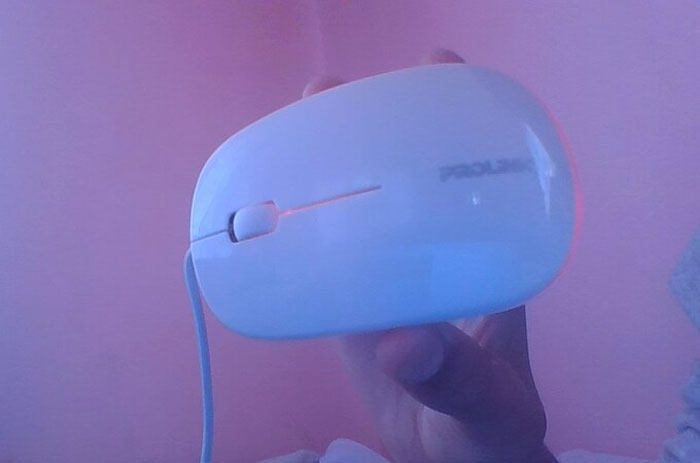 No joke. In my early days of IT, I once went to help someone who couldn’t get their foot pedal to work. It turns out they were placing their mouse on the floor thinking it was a foot pedal. I kindly explained how to use it.
Oh, one other. I had a user complain their coffee holder was broken. They were using the pop out CD/DVD tray as a cup holder!
I once had someone who thought their Wi-Fi was down because their wireless mouse had run out of battery and needed new ones, think that's my favourite.
 Seen actual people immerse a laptop (back when they were not waterproof) in water to clean it.
No, Grandma... sending an email as HTML does not mean it's labeled as 'Hate Mail'.
I had a coworker who double clicked every button and if there was the slightest pause in the computer’s response she’d double click again and wonder why the app would crash or the pc would freeze.
Teaching virtually during Covid to imigrant families with little computer experience. I had to screen shot to show where to type a web address. I had to explain that when Google automated results were not sites that their child actually went to. 'All these sites that come up that he never goes to and I know because I watch him....'. Also the laptop keeps shutting off randomly because it needed to be charged.
Covid taught many parents that they should not homeschool. Many teachers in our building were praised, and apologized to for what they do every day with no credit.
Not removing the plastic cover before installing the CPU cooler when it comes to desktop building. This is something I always look for before installing PC components since seeing this happen.
A 65 year-old coworker of mine worked the same receptionist job for 20+ years. We had a site-wide internet outage and she was convinced it was because some cables at her desk had gotten unplugged “this is wireless, it just needs to get plugged back in” she insisted (????).
A user was attempting to connect to the Wi-Fi network by following the documentation.
Upon reaching the step requiring credential entry, the instructions said something like "Enter your username and password in this window," accompanied by a screenshot of the login window.
The user contacted the help desk, unable to write anything into the window. Eventually, it was discovered that the user was trying to type their credentials into **the screenshot** itself. 🤦.
During a late 90s "PC training" session at my job, I was in a room full of older employees who'd apparently never even seen a computer before, much less used one.
When the instructor asked us to click on something with the mouse, one guy picked up the mouse and pointed it at the monitor like a TV remote, and then asked the instructor why it wasn't doing anything.
 A middle aged lady got frightened after being told she needs a mouse to operate a computer. (This was early 2000s).
My mom doesn’t know how to plug in the charger for her phone and refuses to learn. Also, doesn’t know how to do anything that requires pressing buttons.
Yet somehow has NSA levels of social media hacking, without having social media herself.
One guy I worked with had a smartphone. We tried to get him to download the app for our payroll provider so he could look up his paycheck on his phone. He refused to learn how to download an app from the app store.
I tried to teach a lady at my parents' church how to burn CDs. Couple days after, she calls me over and says she can't get my instructions to work. I'm like, I know I wrote these down such that a piece of toast could do it, but I go through each step as I wrote it to make sure it worked literally as written. That all goes as it should but the disc still doesn't burn as it should. Open up the disk drive...... she had put in the plastic cover meant to protect the actual CDs without considering maybe the clear plastic thing wouldn't be the same as all the shiny metal CDs.
Long ago, a Best Buy employee told me that when his town’s store first opened, an elderly lady came into the computer section, picked up the computer mouse and tried to move it across the computer monitor screen asking “is this how you do this?”.
 I was doing the on-boarding orientation for a medical job maybe 8 years ago and this older lady kept trying using the pc like a tablet. Just couldn't figure out why the monitor wasn't a touch screen. She had no idea what the mouse and keyboard was for. Some one had to show her. She had to have been hired for evs. Or nutrition.
I kind of got used to my touchscreen tablet or my phone. Two or three times I turned my laptop computer on and tried to use it like a touch screen. Realized right away what I was trying to do.
When it’s someone half my age asking me how to save a file to a certain folder.
For many years I didn't know how to open or save anything in a file. I would create a file and just keep it on the main file screen. Started to get to many files where I had to scroll down to get to some of my files. Finally decided to open a new file and was able to learn to save some some of my files I don't use as much and put them under misc file screen. Hope this sound correct or understandable.
I used to work with someone who had his own typist for his reports. We did the same job.
Having someone to do your typing for you is advantageous even if you're highly computer literate.
Was once asked to show a 50 year old fully functional adult how to use an ATM because they had no idea how it worked.
When CD/DVD drives were a thing my uncle called me and said he broke the coffee holder.
Me: the coffee holder?
Uncle: Yeah, y'know, you hit the button and it comes out. Damn thing broke.

Had a computer for inspection because it was slow. Cleaned it up and emptied the trash can. Once done I brought the computer back. Not long after I got a complain that this persons documents were gone. He stored them in the trash can.
Computer literacy aside, that's the equivalent of hiring someone to organize one's home and physically storing things in the trash can.
Load More Replies...
I think our generation (Millenials) were some lucky bastards. We grew up with the advancing technology and understand the basics of every device pretty fast. Everytime I have to teach my mum how to use her laptop I'm just grateful I don't have to stress about this kind of stuff.

I had a coworker who was great with the phone, but couldn't find his way around a computer with a compass. He was ~25. I've never seen anyone who could send a text faster even though he had sausage fingers. He was absolutely awful on a computer though
Load More Replies... I used to volunteer at a re entry class for newly released prisoners. Most of them had been in prison for a decade or more and our job was to teach them every day things to help them acclimate themselves back into society. They all were given smartphones and it was my job to teach them how to use them. It blew my mind they had no idea what an app was let alone how to go to the App Store. That job required a ton of patience.
Had a computer for inspection because it was slow. Cleaned it up and emptied the trash can. Once done I brought the computer back. Not long after I got a complain that this persons documents were gone. He stored them in the trash can.
Computer literacy aside, that's the equivalent of hiring someone to organize one's home and physically storing things in the trash can.
Load More Replies... I think our generation (Millenials) were some lucky bastards. We grew up with the advancing technology and understand the basics of every device pretty fast. Everytime I have to teach my mum how to use her laptop I'm just grateful I don't have to stress about this kind of stuff.
I had a coworker who was great with the phone, but couldn't find his way around a computer with a compass. He was ~25. I've never seen anyone who could send a text faster even though he had sausage fingers. He was absolutely awful on a computer though
Load More Replies... I used to volunteer at a re entry class for newly released prisoners. Most of them had been in prison for a decade or more and our job was to teach them every day things to help them acclimate themselves back into society. They all were given smartphones and it was my job to teach them how to use them. It blew my mind they had no idea what an app was let alone how to go to the App Store. That job required a ton of patience.






































 No fees, cancel anytime