Get Premium
Dark mode theme is available exclusively for premium users. Learn more about the benefits of subscribing.
No fees, cancel anytime.

 Dark Mode Ad-Free Browsing Unlimited Content
 Ad-Free Browsing Unlimited Content Dark Mode
Join 1.2 million Panda readers who get the best art, memes, and fun stories every week!



Once upon a time, in the ages that were sometimes called the “good old days,” it would have been considered a leak of personal data if, let’s say, you accidentally lost your passport or checkbook on the street. But now it’s 2024, our lives have long and firmly moved online, and the internet is no longer the serene paradise lagoon it was decades ago...
There is no doubt that cyber security is a proper and necessary thing, but, like any sphere of human activity, it has managed to acquire so many rumors, myths and recommendations that it is difficult to distinguish the truth from the fake, and current useful advice from the already outdated. However, people are trying. Like, for example, in this wholesome thread on the AskReddit community.
More info: Reddit
This post may include affiliate links.
 Read before you click. Think before you click. Beware of common threats.
You are your own best antivirus. You are the weakest link in your cybersecurity.
Read before you click. Think before you click. Beware of common threats.
You are your own best antivirus. You are the weakest link in your cybersecurity.
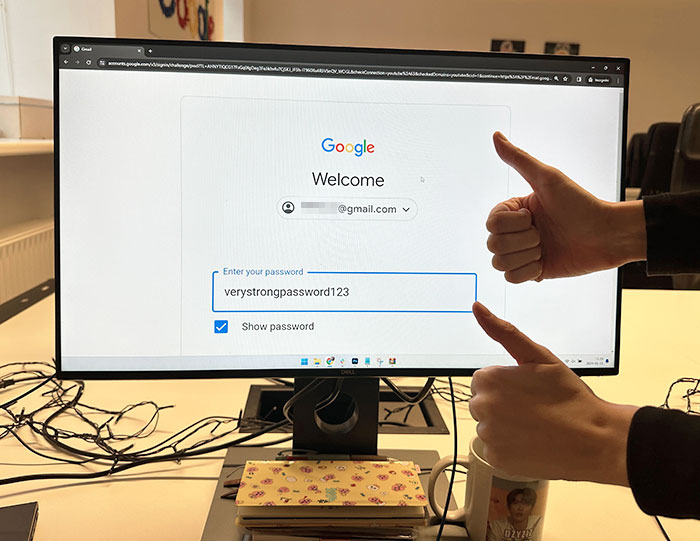 Don't reuse passwords and change them often. If one site is breached, if your accounts are associated with your email address, then they all are.
Edited by writer to insert a comment from Aleksandr Valentij, Cyber Security Lead at Surfshark:
"Frequent password rotation isn’t a good idea and is already not recommended by the NIST organization and the InfoSec community overall. At the end of the day, it’s a counterproductive practice with dubious benefits. When a user has a lot of accounts and has to rotate passwords, they end up using weak passwords because of the lack of imagination.
"A better piece of advice is to use password managers and generate longer than 12-14 character passwords unique to each protected resource. Also, necessarily use 2-factor authentication (2FA) wherever possible. Protecting an account with a password only in 2024 - not a good idea. For especially sensitive accounts, physical security keys are recommended such as Yubikey, Google Titan, Thetis, Feitian, SoloKeys, etc."

What about password managers that autochange your passwords for you?
Do you know what's the saddest thing about all this? Many years ago, the great sci-fi writer Arthur C. Clarke claimed that "Any sufficiently advanced technology is indistinguishable from magic," and today it's damn true. In fact, much of what is available to us today through a variety of online services may seem fantastic and magical - but people are improving them not only for good, but also for evil.
According to a report published by the Identity Theft Resource Center (ITRC), in 2022 there were 1,774 data breaches all over the U.S. with over 442M total victims. This is only slightly less than the “record” figure of 1862 cases registered in 2021, but the main problem with these data breaches is that you may not even notice that you’ve become a victim. And, accordingly, the consequences can be felt months or even years later.
ITRC is, of course, not the only resource that collects such data. Cyber security companies are doing their own analysis, and these numbers are no less troubling. For example, only in the third quarter of 2023, according to a study conducted by Surfshark, one of the world's leading companies in the field of cyber security, the United States held the sad “primacy” in the number of breached accounts with 2.767B.
Thus, there were 816 breaches per 100 people only in the U.S. On a global scale, Surfshark research shows us that since 2004, a total of 16.6B accounts have been breached, and approximately 6.0B of them have unique email addresses. In other words, for example, a single email account is breached around 3 times.
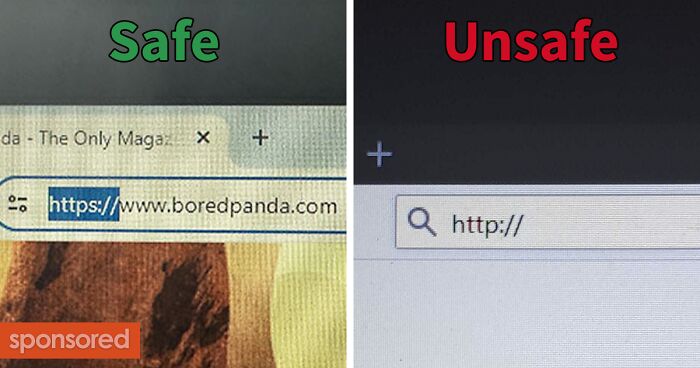
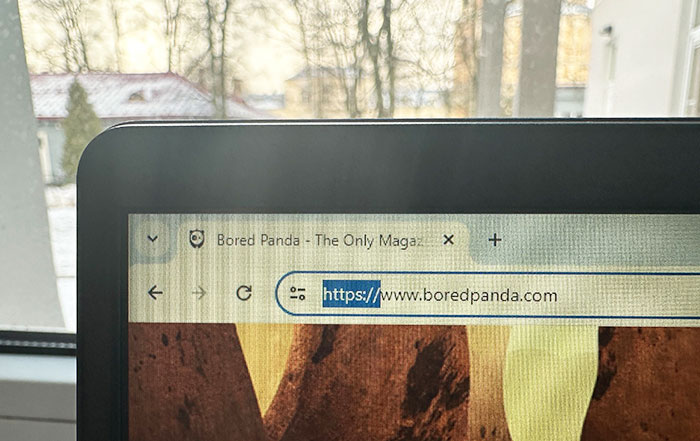 If your url says https://, the websites secure, if it’s http://, it’s not secure. Don’t put any personal information into an insecure website
Edited by writer to insert a comment from Aleksandr Valentij, Cyber Security Lead at Surfshark:
"I don’t want to scare you too much and cause paranoia, but that "padlock" SSL certificate can be bought for as little as $9 and added to any malicious website. So just that the HTTPS lock exists doesn’t guarantee a web resource’s safety all on its own. It just shows that data coming your way will be encrypted. There’s no difference whether you’ll get a virus from an encrypted channel or not.
So you shouldn’t relax just yet, but you should click on that "lock" to examine the certificate - who was it given to, are the recipient of the certificate and the website name identical, etc. But yes, the general rule is that HTTP is totally trash and you should by no means give your sensitive info (for example login/password) to a website with a bare HTTP."

Most of not all modern browsers automatically request https. They will reject or warn you if it's http only. This happened a few years ago.
 Make certain to have your important stuff offline backed up, totally isolated from the net. Worms, virusses, ransomware can hit online but just wipe the lot and give them the finger. Reload and be more careful.
Edited by writer to insert a comment from Aleksandr Valentij, Cyber Security Lead at Surfshark:
"It’s also advisable to encrypt those backups or store them in a drive with a physical encryption, such as disks with PIN code buttons or fingerprint protection."

I was taught that if a digital file doesn't have at least three copies then it doesn't really exist. Granted this was in the days of unreliable floppy disks (and the rule saved my a*s a number of times in uni) but it's still better to go ott than to lose something important.
If we talk about the 1,774 data breaches that took place in 2022, according to the ITRC study, then in more than half of them, the name (1,560 cases) and full social security number (1,143) of the victims were revealed. Among another biggest compromises are date of birth (633), current home address (565), driver license and/or state ID number (499), medical history with all information about diagnoses and treatment (465), as well as bank account number (443). And it’s still surprising how often people continue to step on the same online rake.
It seems funny when, at the end of the first quarter of the 21st century, people still use passwords like 123456 or their own date of birth (we remind you - the third most common leaked information in data breaches), but the statistics are inexorable: the three largest common password practices among hacking victims in the U.S. in 2021, according to Statista data, were using a password more than once (89%), sharing personal passwords (74%) and using a password with less than 8 characters (61%). In other words, people simply don’t pay that much attention to cyber security, or even forget about it.
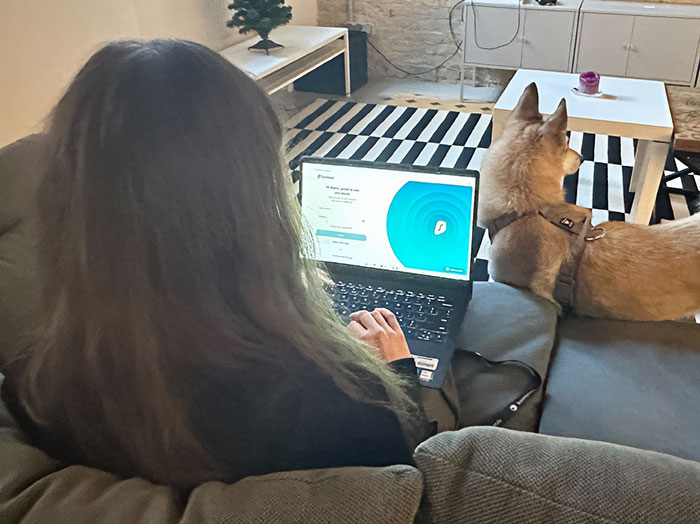 VPNs and data encryption should be top priority for anyone starting online businesses or handling money in general on the internet

Assuming you're connected to a "secure" website and are using an encrypted WiFi or a wired connection, VPNs provide almost no additional security. They're great for getting round geofencing restrictions and maybe worth using on unencrypted WiFi connections if you're doing anything "serious", but for most people most of the time they offer zero benefit, and probably decrease your connection speed into the bargain.
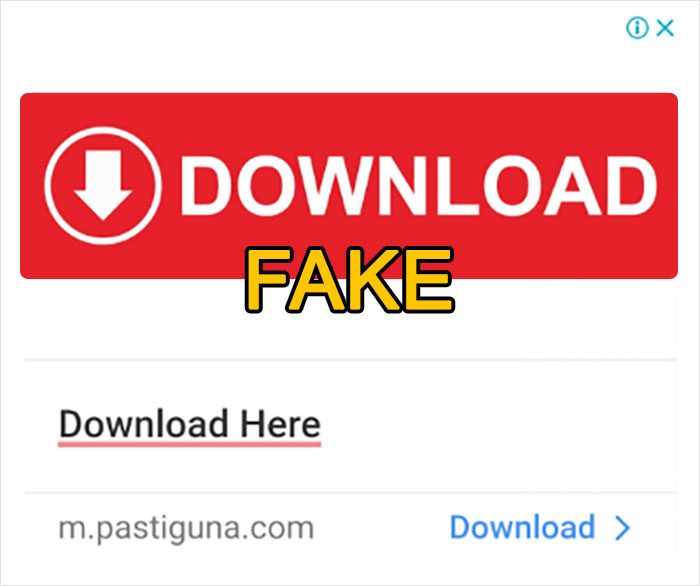 Common sense. That big ugly yellow download button that obv doesn't look like it fits the theme of the website is not the download button.
Among the tips listed in this selection of ours, most of them are actually relevant today, although some ideas are repeated. The overall experience of surfing safely and avoiding unpleasant situations online, according to cyber security experts from Surfshark, can be summarized in ten basic tips:
 Older people are extremely susceptible to some of the better email scams like the ones telling you that you need to review something on your amazon or paypal accounts. It's best if there's a problem to just go to the website in their browser to see.

Actually fun fact: rather than older people, it's actually younger people who have grown up online that fall prey to many cyber attacks because they are lulled into a false sense of security because they grew up there. I say this as a just turned adult who's studying IT.
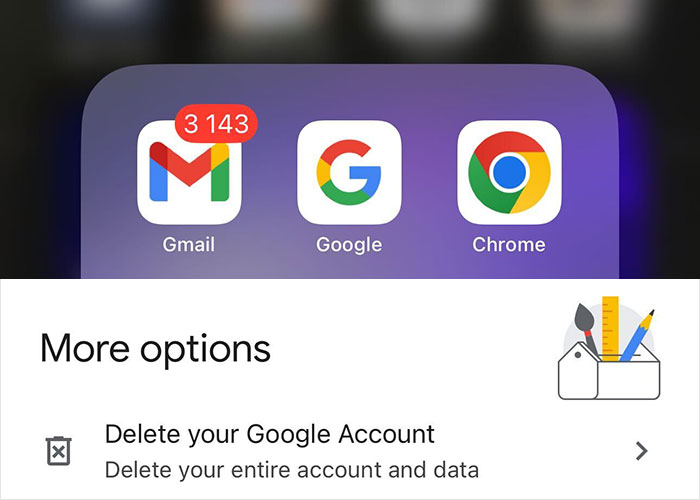 Deactivate or deleted old email accounts.
It's no wonder that so much attention is paid to using a VPN - after all, it really allows you to avoid many problems. For example, I’m writing this text while sitting in a cafe with private Wi-Fi (well, there’s a sign with the password on the cafe wall, anyway...), so I turned on the VPN, and I can be relatively calm about the fact that that someone on the same network will have access to my laptop.
Basically, I could do the same thing using a free VPN service or maybe surfing with Tor browser, but the connection speed is still a game changer. Paid VPN services don’t cut down (or almost not cut down) on connection speed, so comfort plus security is something that I personally am willing to pay for.
 If you receive an email from Apple, PayPal, Amazon, etc. that you think be phishing; hit forward check the email address. It show the true the email address. If it looks different, forward to the real company's anti-fraud email. You phasing it by searching the company's name and report phishing ie Amazon report phishing.

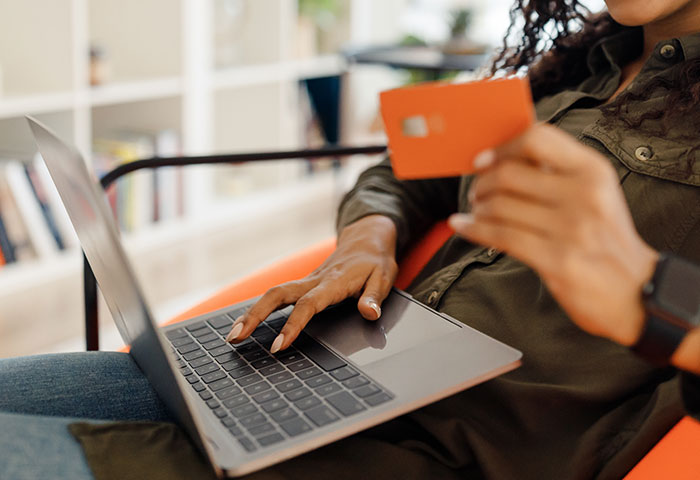 Don't use your debit card to buy online. If that gets compromised the money coming out is hard cash. If its a credit card it's on the credit card company to get their money back on fraud charges. This can take a long time.
Edited by writer to insert a comment from Aleksandr Valentij, Cyber Security Lead at Surfshark:
"It’s best to use single-use virtual cards for online purchases. For example, Revolut and other payment platforms have them."
One of my favorite phrases regarding free services is “if you don’t pay for the product, then you are the product!” Well, of course, not you and me, but our personal data, our digital footprint, which is becoming larger over the years, and which various data brokers are willing to buy. By and large, almost all of this digital footprint can actually be deleted - although this will require a huge amount of time and effort. Much more than creating it...
“Completely wiping personal data from the network can be an uphill battle, given that once information is released or leaks onto the internet, it can quickly proliferate and scatter across countless platforms,” Aleksandr Valentij, Cyber Security Lead at Surfshark, whom Bored Panda asked for a comment here, agrees. “Bits of your digital footprint, including search history, passwords, and account information - every cookie you've ever clicked 'accept' for - are captured by data brokers.”
“These brokers diligently document your online activities, the pages you browse, and your preferences, repackaging this data to sell to interested third parties. However, there is a way to fight back. Incogni by Surfshark actively steps in on your behalf, engaging with these data brokers to advocate for the removal of your information, offering a layer of defense in the quest to reclaim your online privacy."
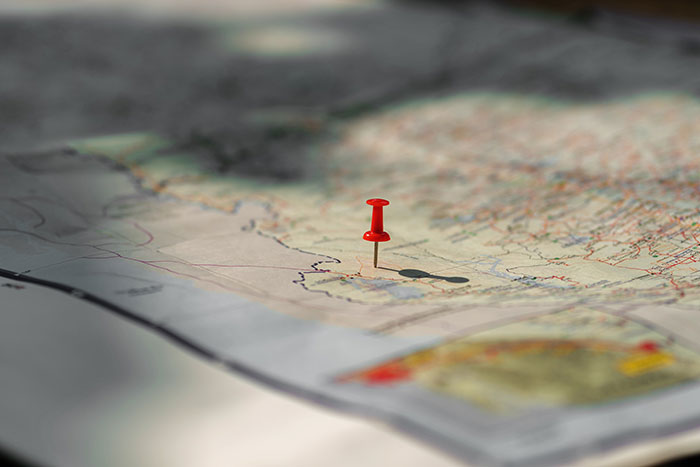 If you post a picture outside or inside near a window or inside in a publicly accessible building, it doesn't matter what precautions you take, people can geolocate your ass and doxx where you were and thus where you probably are
It's virtually impossible to be online and anonymous. Granted I don't use a damn thing on bored panda that is attached to my real identity but I bet if someone really had no life and the time they could figure it out. I'm also fairly boring IRL so I don't really expect it. Oh yay you found a middle aged white guy. Good job Only way to be anonymous is to stay offline
 The advice I usually give:
* As others have said,. safety and cyber-security needs to be in the forefront of your mind all the time. Every. Single. Thing. you do on a computer, you should be slowing down a little and asking "Why am I doing this thing?"... "Is it necessary?". ."Is it safe?"..
* Keep everything updated. Your OS, Browser, Apps, etc. Updates fix security holes. Don't be "that guy" who never updates anything. Including your Motherboard BIOS or other Firmware (such as your WiFi-Router or Modem Firmware). Any or all devices that you have that have some sort of "Check for Updates" button.. you should be checking and reading what the update fixes. You might be surprised at how deep down the Security fixes go. (Example:.. Dell Laptop BIOSes have had INTEL CPU Security fixes in them nearly every release for years now).
* Don't login with a Local Admin account. Create a different account (example,. you have a primary account named "asmith" and an Admin account named "asmith-admin" ... when you're logged on as "asmith" (that does NOT have Local Admin rights). .and you get a popup saying something wants Admin-Rights,.. review what that thing is (is it OK?).. and use your "asmith-admin" and password to allow it.
* Use common-sense and don't click on stupid s**t. Don't open unknown Emails. Don't surf dodgy or risky websites. Don't respond to unknown friend-requests or unexpected Messages. Etc (again--- Cybersecurity should be forefront in your mind. Any thing unexpected your computer does, you should be asking "Why is it asking me to do X_Y_Z thing?")
* Don't install more software than you have to. Keep things as "minimal" as you can. The more and more software you install,. the wider and more diverse your attack-surface becomes (and the more things you have to maintain and update). It's far better (from a security standpoint) to keep whatever system you're using as "factory-original" and "minimal" as possible. Install software if you need it.. but don't go overboard installing every little "helper-app" that every yahoo on the Internet forums says you "need". You likely don't.
* If you need to do risky things.. do it on a more secure OS (such as an iPad or Chromebook or read-only bootable Linux USB or something like that. Don't put your primary system at risk.
If you're doing all of the above.. then the necessity of running anti-malware of anti-virus is far far reduced. (note: I didn't say "eliminated entirely".. cause I know someone is going to complain or say I'm recommending to NOT run anti-virus. That's not what I'm saying). Anti-malware and Anti-virus programs should be 3rd or 4th or 5th down on your list of things that protect you.
If you're NOT doing the above things...installing Anti-Malware or Anti-Virus and expecting it to somehow "magically protect you" (from your own sloppy or lazy behavior).. is ridiculous and nonsensical.
The advice I usually give:
* As others have said,. safety and cyber-security needs to be in the forefront of your mind all the time. Every. Single. Thing. you do on a computer, you should be slowing down a little and asking "Why am I doing this thing?"... "Is it necessary?". ."Is it safe?"..
* Keep everything updated. Your OS, Browser, Apps, etc. Updates fix security holes. Don't be "that guy" who never updates anything. Including your Motherboard BIOS or other Firmware (such as your WiFi-Router or Modem Firmware). Any or all devices that you have that have some sort of "Check for Updates" button.. you should be checking and reading what the update fixes. You might be surprised at how deep down the Security fixes go. (Example:.. Dell Laptop BIOSes have had INTEL CPU Security fixes in them nearly every release for years now).
* Don't login with a Local Admin account. Create a different account (example,. you have a primary account named "asmith" and an Admin account named "asmith-admin" ... when you're logged on as "asmith" (that does NOT have Local Admin rights). .and you get a popup saying something wants Admin-Rights,.. review what that thing is (is it OK?).. and use your "asmith-admin" and password to allow it.
* Use common-sense and don't click on stupid s**t. Don't open unknown Emails. Don't surf dodgy or risky websites. Don't respond to unknown friend-requests or unexpected Messages. Etc (again--- Cybersecurity should be forefront in your mind. Any thing unexpected your computer does, you should be asking "Why is it asking me to do X_Y_Z thing?")
* Don't install more software than you have to. Keep things as "minimal" as you can. The more and more software you install,. the wider and more diverse your attack-surface becomes (and the more things you have to maintain and update). It's far better (from a security standpoint) to keep whatever system you're using as "factory-original" and "minimal" as possible. Install software if you need it.. but don't go overboard installing every little "helper-app" that every yahoo on the Internet forums says you "need". You likely don't.
* If you need to do risky things.. do it on a more secure OS (such as an iPad or Chromebook or read-only bootable Linux USB or something like that. Don't put your primary system at risk.
If you're doing all of the above.. then the necessity of running anti-malware of anti-virus is far far reduced. (note: I didn't say "eliminated entirely".. cause I know someone is going to complain or say I'm recommending to NOT run anti-virus. That's not what I'm saying). Anti-malware and Anti-virus programs should be 3rd or 4th or 5th down on your list of things that protect you.
If you're NOT doing the above things...installing Anti-Malware or Anti-Virus and expecting it to somehow "magically protect you" (from your own sloppy or lazy behavior).. is ridiculous and nonsensical.
The leader among the information that attackers obtain as a result of data breaches has been the user’s name for many years. Some netizens, if they still need to register on a site which security is in doubt, use an alternative identity. “Creating an alternate online identity through a proxy email can be immensely beneficial for safeguarding privacy, sidestepping unsolicited spam in your primary email, or delineating the boundaries between various faces of one's life - such as work, personal activities, or when participating in discussions around sensitive subjects,” Aleksandr Valentij says.
“With Surfshark's Alternative ID feature, you can establish a brand-new, distinct online persona complete with a proxy email. This allows you to protect your personal information, prevent data breaches, and keep your primary inbox free from clutter. Simply convey to us the specifics of the identity you wish to project, and we will curate a new profile, complete with an email address, ensuring your actual identity remains concealed.”
 -Use a password manager.
-Think before you click. (Did I hover the link to preview the URL? Is this REALLY a Nigerian prince?)
-2-Factor Authentication is your friend. Keep it simple with 1 platform if possible.
-Utilize browser add-ons and extensions to tailor your experience with ad/script blockers. Added benefit of privacy.
-Explore VPN options, for privacy's sake.
-Malware/virus protection.

If you're like many people and live in a home with people you trust then use a paper password manager ie: a notebook. It's actually more secure and not vulnerable to electronics failure (hard disk crashes and PW manager is gone). If you have kids then lock it in your fireproof safe (you should have one for important documents already!) or even a lockable desk drawer.
 In email, especially at work, hover over a link and see the domain name makes sense before clicking. It should be your company's domain name or the domain name of the company you are working with.
I will literally not click on a link in an email from my bank or other financial institution if it is not a link directly to their domain. I stop doing business with banks that use a 3rd party domain for email links.
In email, especially at work, hover over a link and see the domain name makes sense before clicking. It should be your company's domain name or the domain name of the company you are working with.
I will literally not click on a link in an email from my bank or other financial institution if it is not a link directly to their domain. I stop doing business with banks that use a 3rd party domain for email links.
In 2016, a photo of Mark Zuckerberg’s laptop with the camera taped over spread around the world, and many netizens rushed to follow his example. In fact, the creator of Facebook was largely right in his fears. "Unauthorized access to an individual's webcam can severely compromise their privacy. It enables attackers to covertly record personal images or videos, potentially leading to exploitation. This vulnerability can open the door to blackmail, stalking, sextortion or other malicious activities," Aleksandr Valentij states.
Well, today you can get by with software soultions instead of adhesive tape... "Surfshark Antivirus offers a layer of security by blocking camera access from all unauthorized applications, immediately alerting you to any failed access attempts. Furthermore, it provides robust protection for your device against malware by proactively scanning files before they are downloaded or opened, ensuring that no malicious elements breach your system," Aleksandr adds.
In other words, a VPN plus a few more additional services today can easily do the lion’s share of the security work for us.
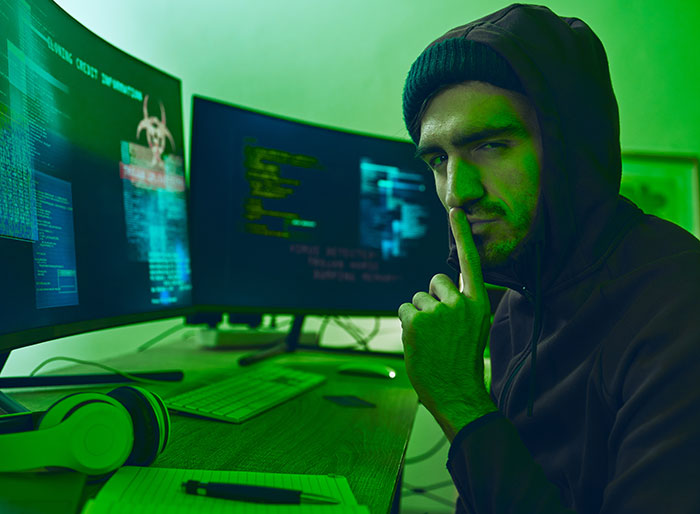 Don't download programs from sites you don't trust. Use app stores where possible.
Macs and Linux boxes are not immune to malware, do not treat them as such.
Use password managers where possible.
Use 2 Factor Authentication where possible. Avoid SMS-Based 2FA
If you download script files (eg: .bat, .ps1, .py), try to read it before running it. If you can't read it, see rule 1.
Watch what you click and exercise scepticism. No, there are probably not 36 model-looking singles in your area.
Edited by writer to insert a comment from Aleksandr Valentij, Cyber Security Lead at Surfshark:
To work out if your details have been stolen in breaches you can link this tool as well.

Did anyone bother to tell banks not to use text messages for 2FA? Banks have among the worst security practices of any website. I have a harder time getting into my email than my bank sometimes!
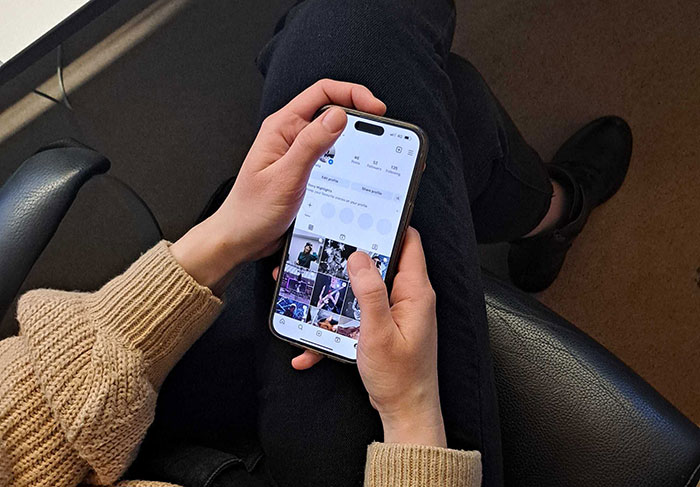 Password managers are extremely helpful, look for the little padlock in the URL bar so you know the site is secure, be very careful how much information you post on social media, have a firewall/internet security, use a VPN

oh sweet consistency, a couple of entries before you put this: " "I don’t want to scare you too much and cause paranoia, but that "padlock" SSL certificate can be bought for as little as $9 and added to any malicious website. So just that the HTTPS lock exists doesn’t guarantee a web resource’s safety all on its own. " and now this..
By the way, in addition to taking care of your online safety, VPNs have several other useful and pleasant features. For example, you can try to bypass geographic restrictions. Let's say, if you want to watch a show online that isn’t available in your region or country (and there are more and more such restrictions in the world...)
"If a user is facing geographic restrictions while attempting to watch a show online, employing a VPN is a common solution," Aleksandr Valentij says. “A reliable VPN service, such as Surfshark, can help in this scenario. When connected to a VPN, the user's internet traffic is rerouted through a server located in a country where the show is legally available, effectively changing the perceived location of the user. This process conceals the user’s actual IP address, making it seem as though they are accessing the content from within an unrestricted region.”
 You don't need to be a cyber security expert to know that you shouldn't pirate games and that you shouldn't run unknown programs as administrators

"Pirated games contain malware" is just a myth designed to scare you away from... well... pirating games. But it's totally bogus. Yes, contaminated pirated copies of games do exist, but they are pretty rare. The majority of such releases are clean because the groups that release them actually care about their reputation and "prestige."
However, nobody’s perfect, and data leaks can always occur, no matter how prudent we are. In this case, it will be really critical to find out about the problem in a timely manner in order to take measures and minimize the damage. “Getting a fast and full alert if your personal data gets leaked is crucial. It lets you act quickly to protect your accounts by changing passwords and watching your bank activity to help prevent identity theft,” our expert is sure. “Surfshark's Alert service gives you instant warnings if your email ends up in a data breach, so you can take quick steps to keep your information safe.”
 Make sure you know who you are talking to online, what the security level is of what you are using to communicate, and keep an eye on your surroundings. "You are your own best antivirus, you are the weakest link in your cybersecurity."
 If you are going to enter sensitive information online close your webrowser and then go order pizza.
Each tab talks to your webrowser, if something malicious is going on a website can get your info from a different tab. Plus closing all tabs shuts down malicious cookies.
Edited by writer to insert a comment from Aleksandr Valentij, Cyber Security Lead at Surfshark:
"Closing all tabs doesn’t clear all malicious cookies unless you were browsing in incognito mode. For that, you need to clear the browser cache."

There is a very very limited amount of info that can be passed between tabs, as funnily enough browser designers cottoned on to this some decades ago. And, no, closing a tab does NOT clear cookies. Incognito mode works by forgetting everything done in that tab when you close the tab by not persisting it on disk.
 Change passwords often. Store them in a file offline.
Learned this after the My Fitness Pal databreach.
And now - probably the main and most wholesome piece of advice. Do you know where the main element of my, your and any person’s cyber security is located? Yes - in our heads. In fact, no matter how many cool services we buy, no matter how many password managers we install - if we surf mindlessly, open any links and believe all the incoming emails - sooner or later our data will end up in the wrong hands.
So no service, even the most reliable and effective, is a panacea if it is not used wisely. An ancient Kodak advertising slogan was “You push the button, we do the rest!” When it comes to cyber security nowadays, it's critical that we don't press unnecessary buttons - and let dedicated, smart solutions do the rest for us.
If anyone ever asks you for your phone number and then you get a six digit code and then that person asks for it as 'verification' they are trying to steal your account. It's a common Facebook marketplace scam as well as for Gmail/Google accounts.(and any other account). Never share a six digit code ever.
I didn’t fall for this but I didn’t identify it at first either. He kept saying, “does this code look like yours? Send me a screenshot.” After I confirmed mine looked like that but refused to send a screenshot, he kept pushing. Then I realized what he was doing…
Load More Replies... If anyone ever asks you for your phone number and then you get a six digit code and then that person asks for it as 'verification' they are trying to steal your account. It's a common Facebook marketplace scam as well as for Gmail/Google accounts.(and any other account). Never share a six digit code ever.
I didn’t fall for this but I didn’t identify it at first either. He kept saying, “does this code look like yours? Send me a screenshot.” After I confirmed mine looked like that but refused to send a screenshot, he kept pushing. Then I realized what he was doing…
Load More Replies...

























 No fees, cancel anytime