Get Premium
Dark mode theme is available exclusively for premium users. Learn more about the benefits of subscribing.
No fees, cancel anytime.

 Dark Mode Ad-Free Browsing Unlimited Content
 Ad-Free Browsing Unlimited Content Dark Mode
Join 1.2 million Panda readers who get the best art, memes, and fun stories every week!


We’ve come a long way with technology. These days, you can stream almost any song in seconds, get food or groceries delivered without talking to a single person, and even use AI to help you learn a new language. It’s kind of overwhelming when you stop to think about it.
But even with all these digital conveniences, many of us still aren’t using them to their full potential. That’s why Redditors decided to share some of their favorite internet hacks that make everyday life a little easier. From shortcuts that instantly reopen that tab you accidentally closed to underrated websites you’ll want to bookmark, check them out below—they might just come in handy.
This post may include affiliate links.
 There's a Chrome extension that turns all pictures of Trump into kittens.
it's called Make America Kittens Again and it has made my viewing experience a little less insufferable.
 I always complete my emails and look over them before I put the destination email addresses in. Prevents me from accidentally sending something I don’t want to send.
 Delete your Facebook, Instagram, Twitter, etc. it will help your mental health and save you time. Also, unsub from any political subreddit.
 Tired of looking up photos and getting AI images? Add “before:2022” to the end of your Google searches.
Similarly you can specify exact dates “before:YYYY-MM-DD” or search for anything “after:YYYY-MM-DD” as well.
 Before submitting a lot of text in an online form, copy it with CTRL/CMD+C in case your login timed out or the page crashes when you submit. At least you won’t have to type it again.
 Block people more liberally. If someone's saying things that make me uncomfortable or upset? Boom, blocked. It's so much better than getting into arguments or having my mood lowered when I'm trying to do something fun..
 Use https://cooked.wiki/ to view just recipes -- skip the long, meandering essay that leads up to what you really want. It's like a super-power.
2donuts4elephants:
In a similar vein to save time, justwatch.com has a comprehensive list of where you can find a movie or TV show on streaming services without having to look up each one individually. It's immensely helpful.
 Regarding troubleshooting when it comes to software based issues, at the end of your query, type [solved] and you'll get a bunch of topics with proven fixes.
For eg: resident evil 3 pc frame drops [solved].
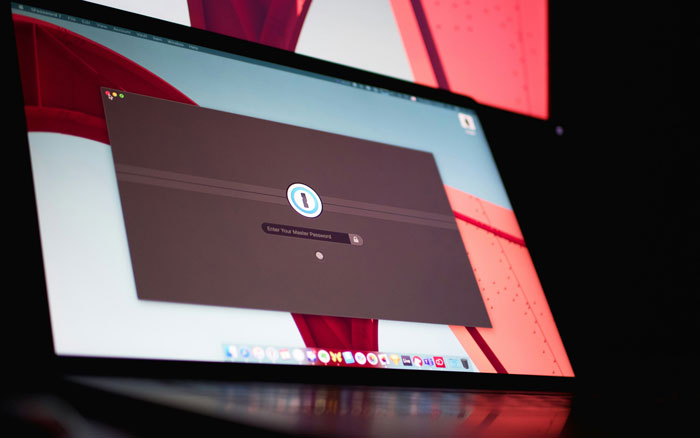 Get a good password manager and use it as a browser extension. In itself a great way to create unique and strong passwords.
A really good benefit however, is that if you ever accidentally click on a phishing link to a service you use, the password manager won't auto fill your credentials. This should immediately indicate to you that you are not are the site you thought you were.
 If you need to see a saved password, but the site doesn't have an "eye" option to reveal it
highlight the dots that are your password, right click, select "inspect element" or similar, go to the "type" field and change the "password" word to anything and press enter, your password will be revealed.
 On YouTube you can skip almost any ad by clicking the info button and hitting “stop seeing this ad” and it’ll skip the ad even if it doesn’t have a skip button. Doesn’t work for official ads tho like Walmart or Pepsi
Pale_Angry_Dot:
If you have a VPN there's certain countries in which YouTube has no ads, like Monaco or I think Albania.
 * Get a great music recommendation each day and don't rely on your streaming services algorithm loop: https://1001albumsgenerator.com
* Don't support Google -> Stop using Chrome. Try **Firefox** with the uBlock (ad-blocker) extension, it's awesome!
* Don't support Google -> Use https://duckduckgo.com/ or try another one, they're in general pretty good these days.
 F12 & right click the refresh button > do hard refresh & clear cache.
I worked briefly in IT and this solved most problems.
 Windows key + V
It opens up a clipboard of all your recently copied items including images. Really useful.
 Not really a "hack" but still something I do every day. When on a typical online shopping site, if there is a dropdown to change the number of items displayed per page, take a look at the URL when you click on one of the options. You'll usually notice part of the URL has changed to reflect the number of items you've chosen. Simply change that number to anything you want to display more items than the dropdown allows you to.
 In chats with customer service bots, I just write 'human' or 'speak to agent' a few times and it connects me to a human most of the time.
 Wordhippo.com is my favorite site for anything word and sentence related. Can’t find a word? Wordhippo. Need a rhyme? Wordhippo. Anything you need really.
 Use temp mail services (like temp-mail.org) when you need to sign up for something sketchy. Keeps your real inbox clean.
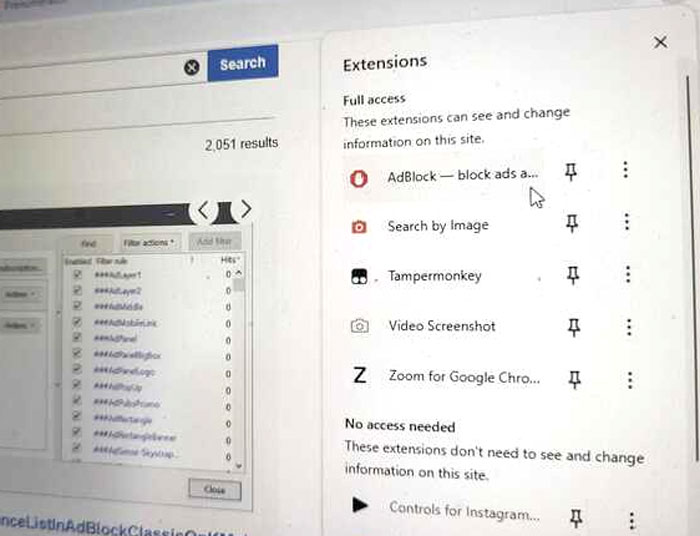 No-one should go near the internet without adblock.
If you can't have adblock on your device you can use something like NextDNS to do adblocking on your (ISP's) router and it will work for all devices on your network. This also makes it a great option for less tech savvy family and friends.
You can also set it up as the default DNS for your phone so you have adblocking in all apps without little to no extra battery or cpu usage.
Important note: If you use NextDNS, go to Settings > Logs and set the storage location to Switzerland.
The standard is in the US which is a big ick.
 Proper search techniques.
Use "blue car" quote marks to search for exact matches for the words blue car side by side on the page if you just use blue car it would find pages with the word blue and/or the word car anywhere on the page. It could just bring something with blue, without car.
Use - to remove words. ie.
"Blue car" -Tesla and will bring up every page with the words blue car except any that contain Tesla.
Using + will look for pages that contain ALL words included +blue +car will show pages with both blue AND car on the same page.
If you are trying to search for a thing ONLY on one particular website, you add
Site:sitename.com and it will search ONLY that website. If you drop it down to site:.gov it will ONLY search US government websites.
Site:reddit.com will search only reddit for answers.
Breaking it down by country or top level domain, using site:.nz will search ALL New Zealand websites.
If you use site:.co.nz it will search all commercial sites in New Zealand.
There are also search tools so you can filter the results. Ie search by time to find answer to your query. Ie search for the last hour day, weeks or custom.
I member this thing in the internet in August 2018.
Use search tools to search the internet for answers from August 2018 search tools too middle of the results window.



































 No fees, cancel anytime
 then open in external browser


 and click "Open in External Browser"