Get Premium
Dark mode theme is available exclusively for premium users. Learn more about the benefits of subscribing.
No fees, cancel anytime.

 Dark Mode Ad-Free Browsing Unlimited Content
 Ad-Free Browsing Unlimited Content Dark Mode
Join 1.2 million Panda readers who get the best art, memes, and fun stories every week!

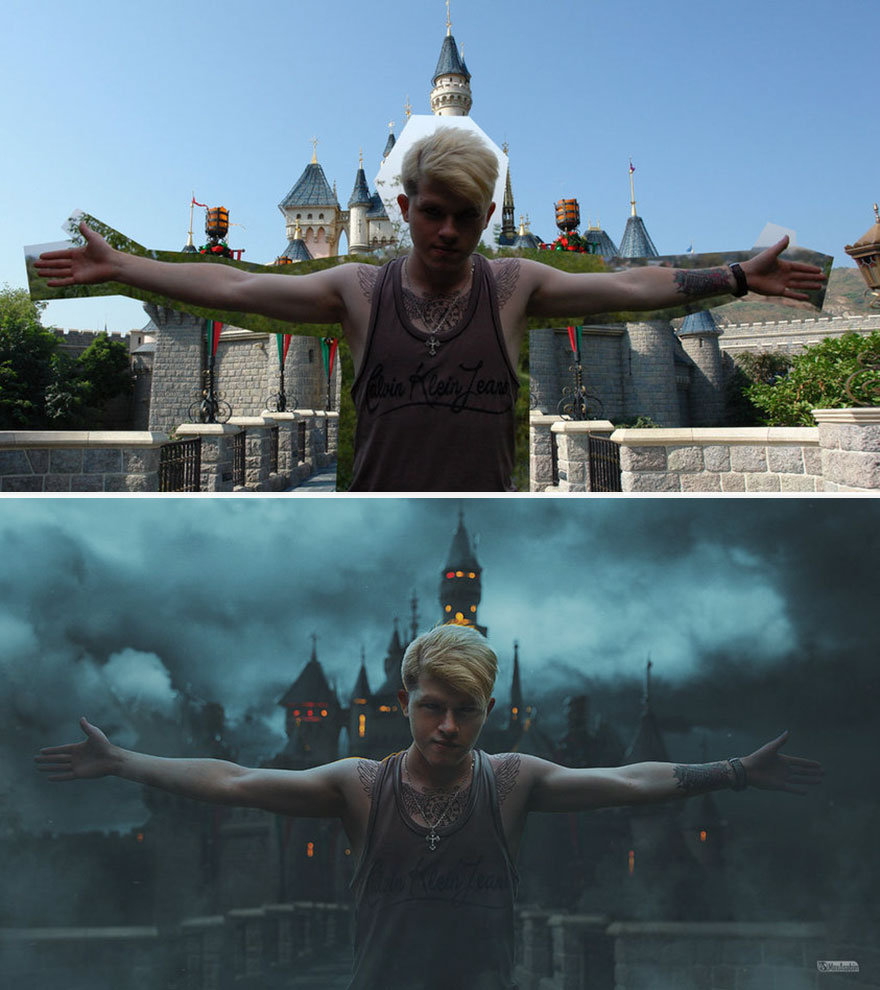
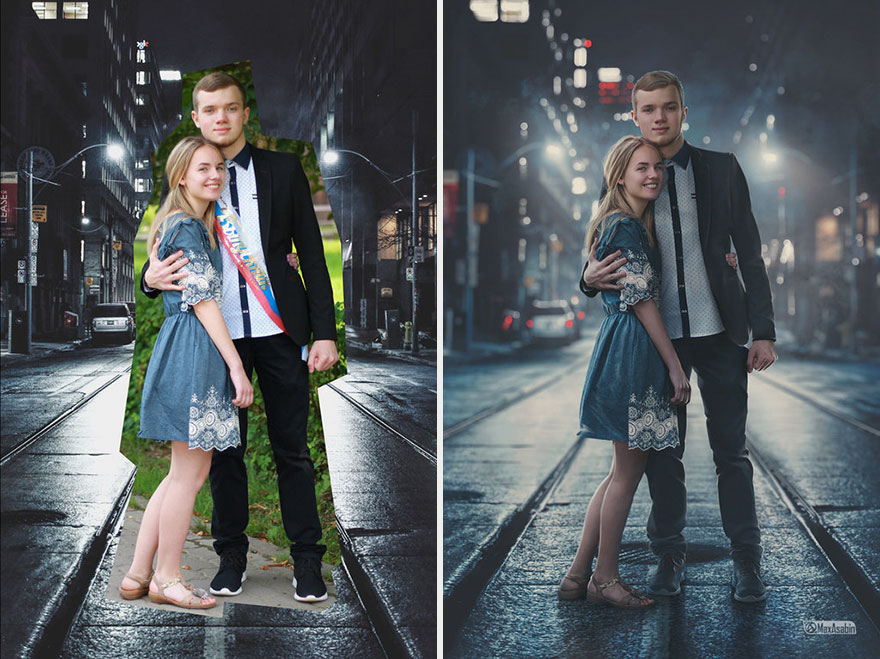
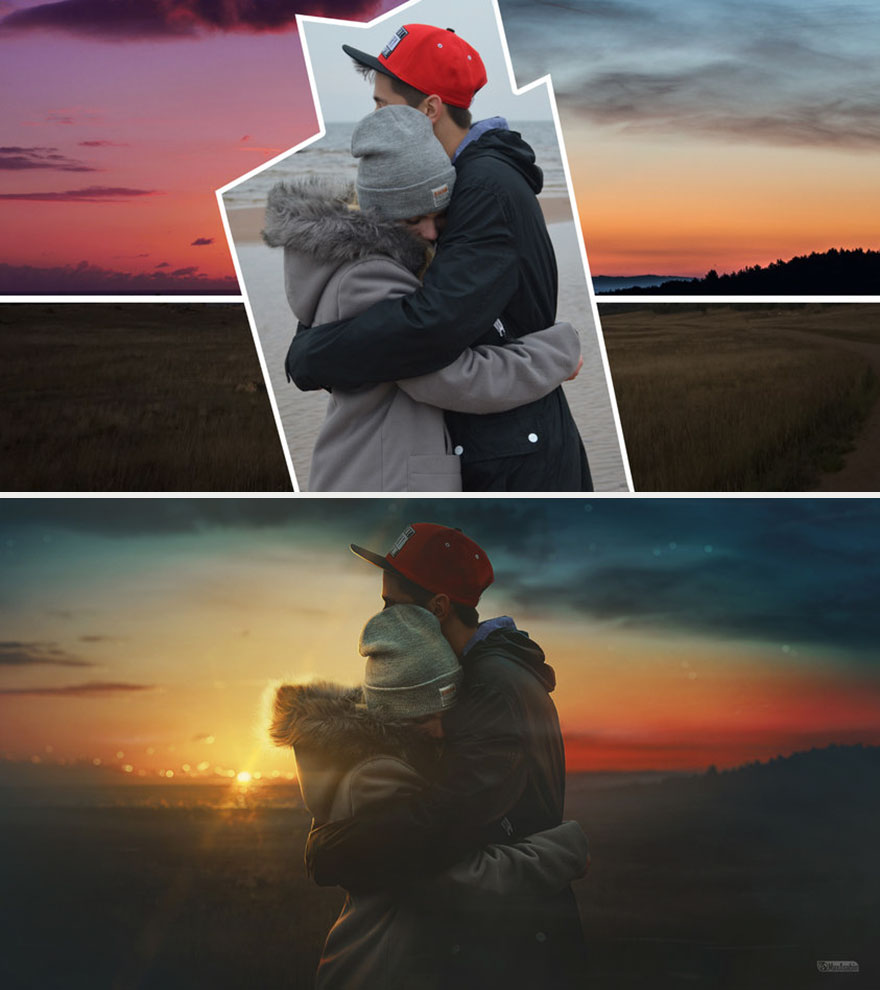
Almost everyone with a smartphone or a computer has experimented with photo editing at some point, but this photo manipulation master's work is above and beyond any photoshopped images.
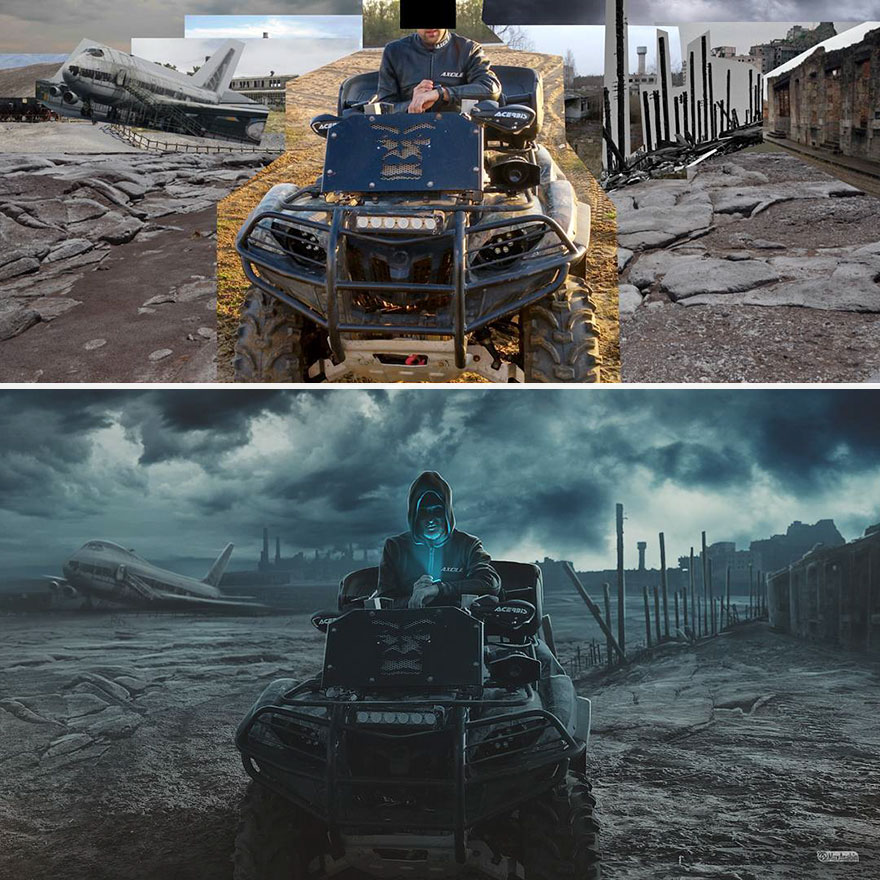
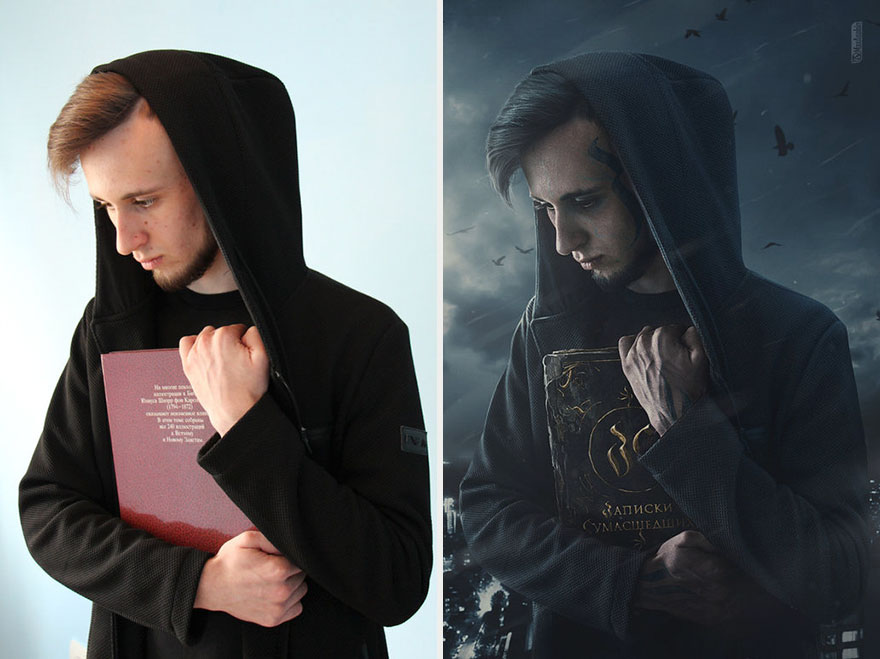
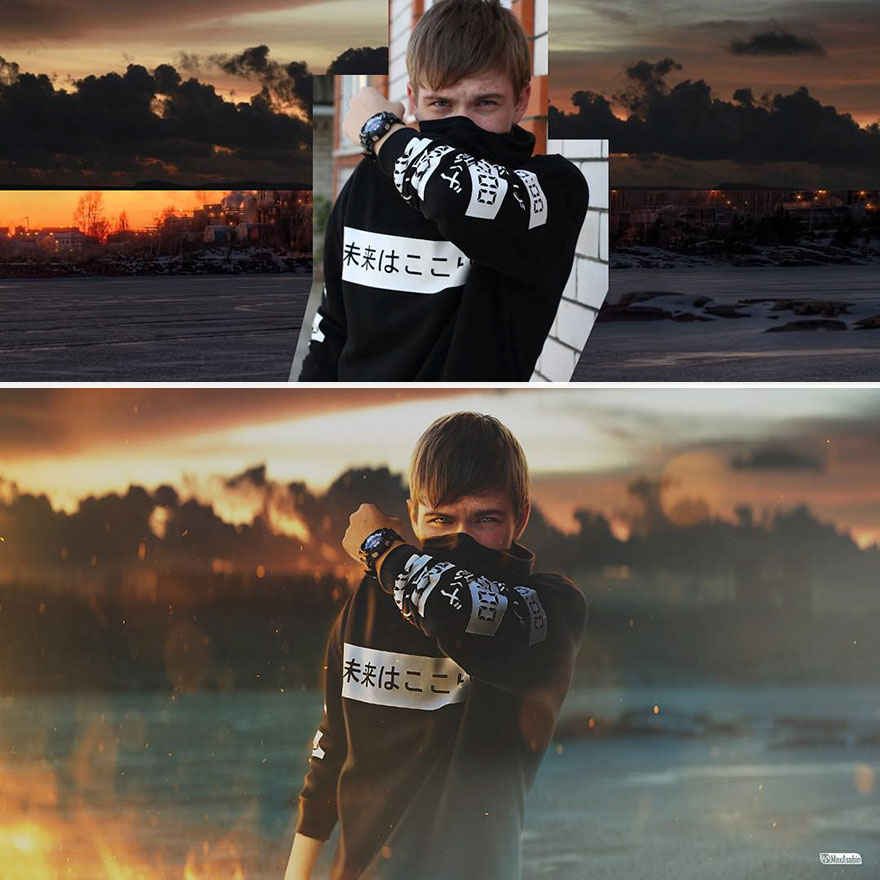
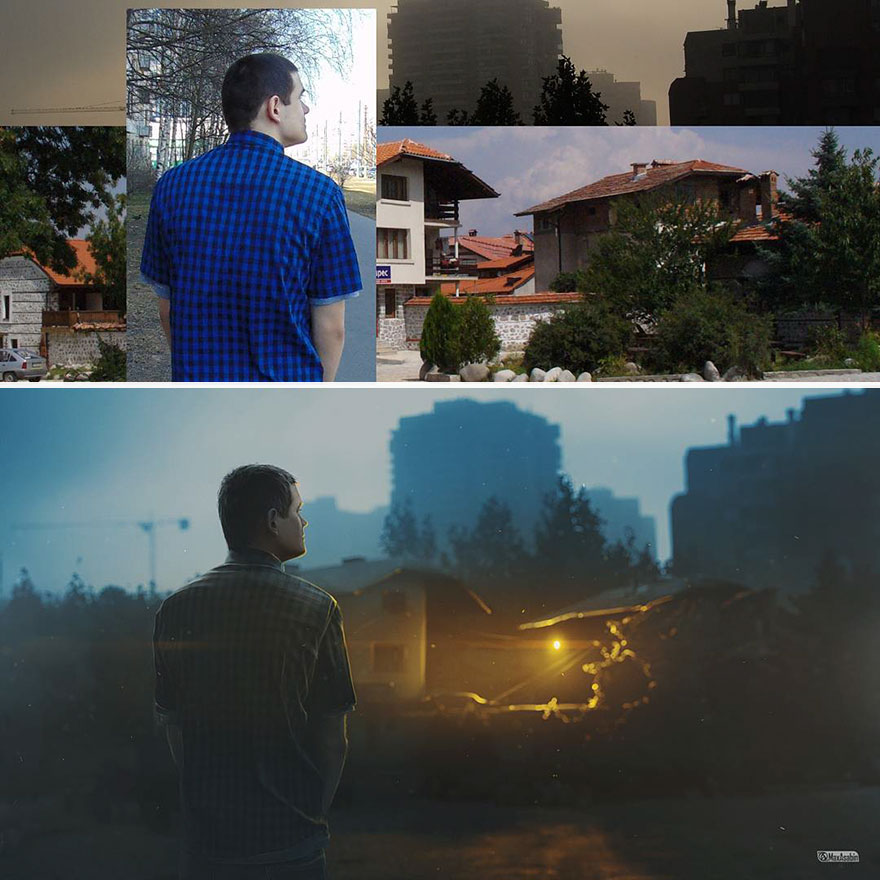
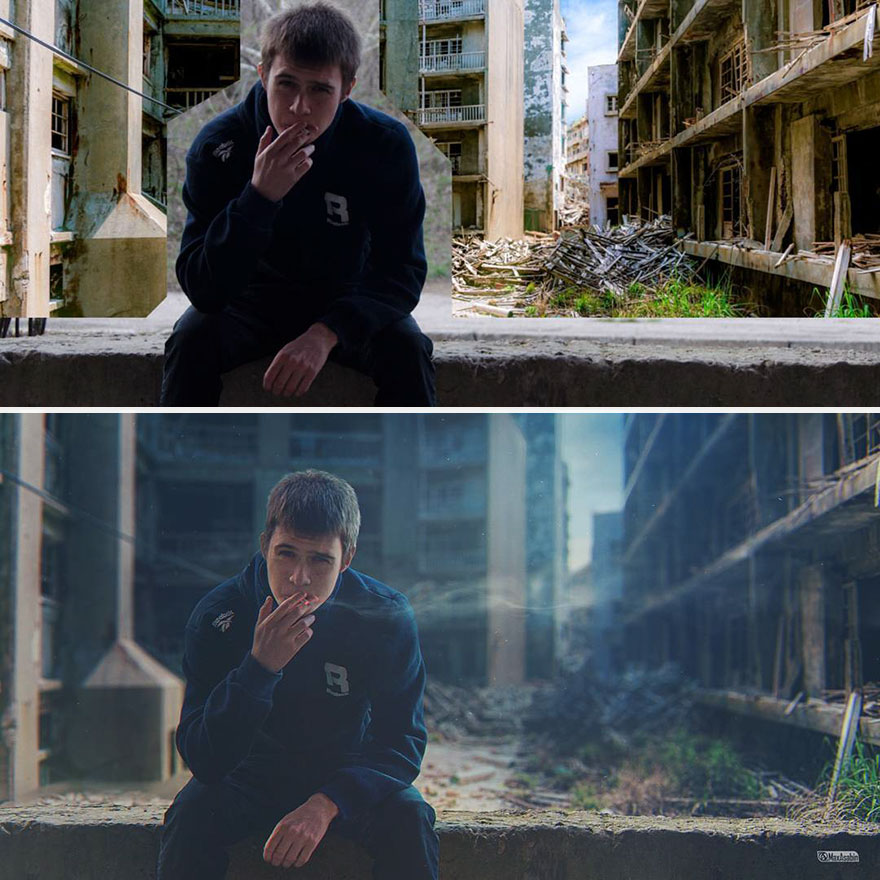
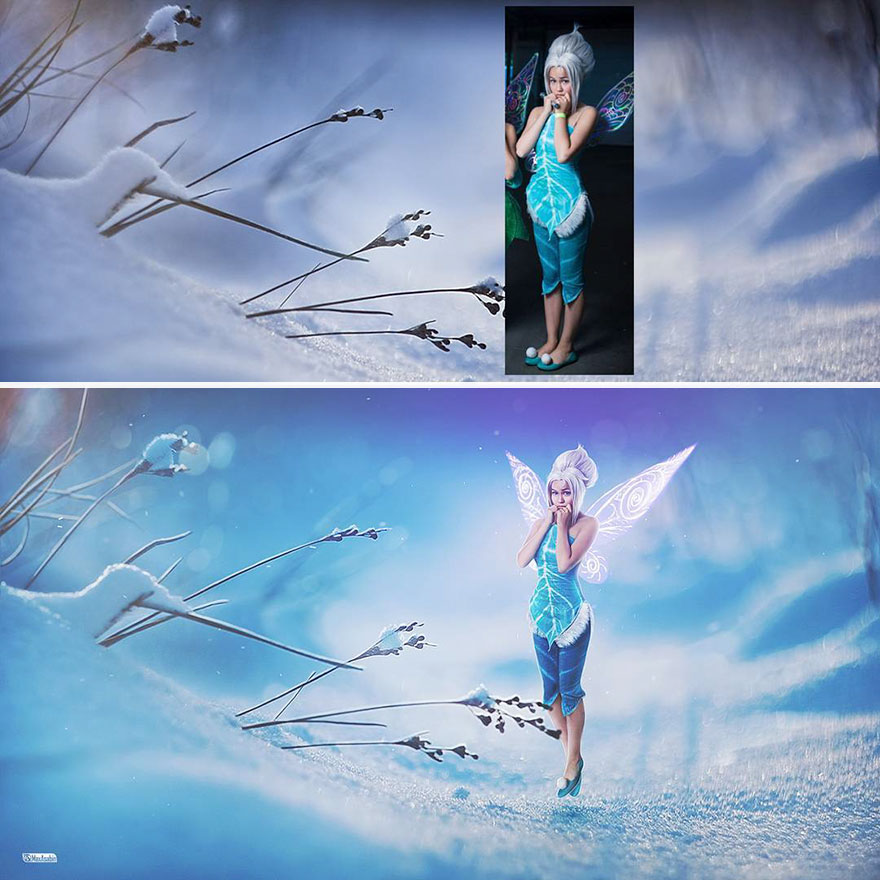
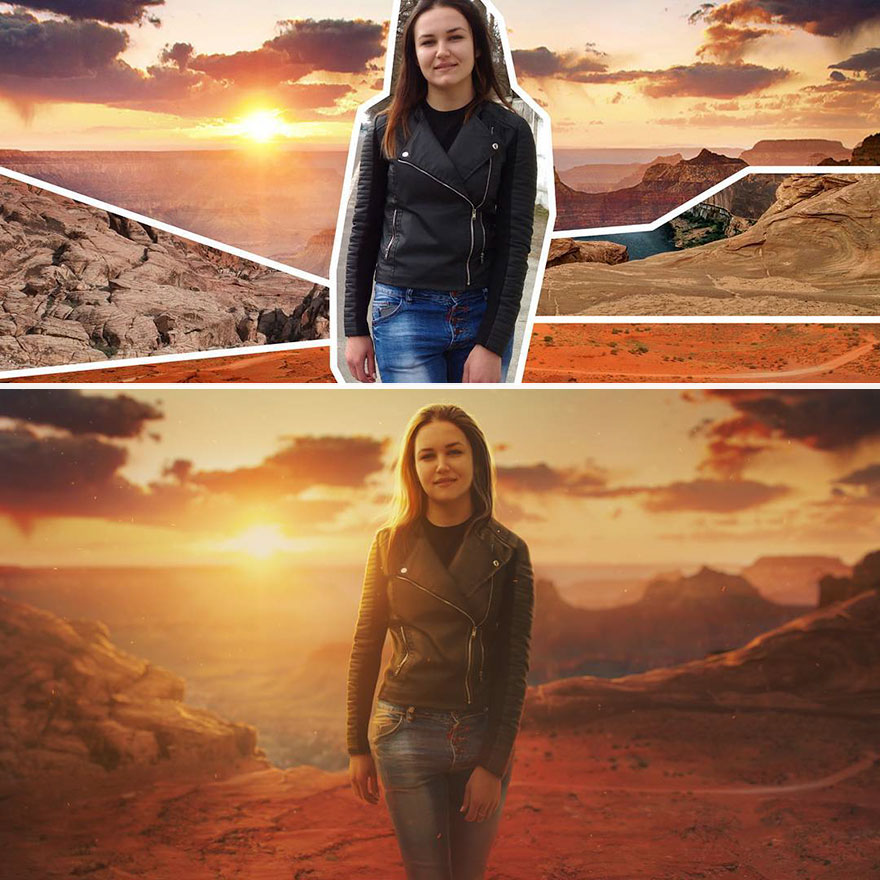
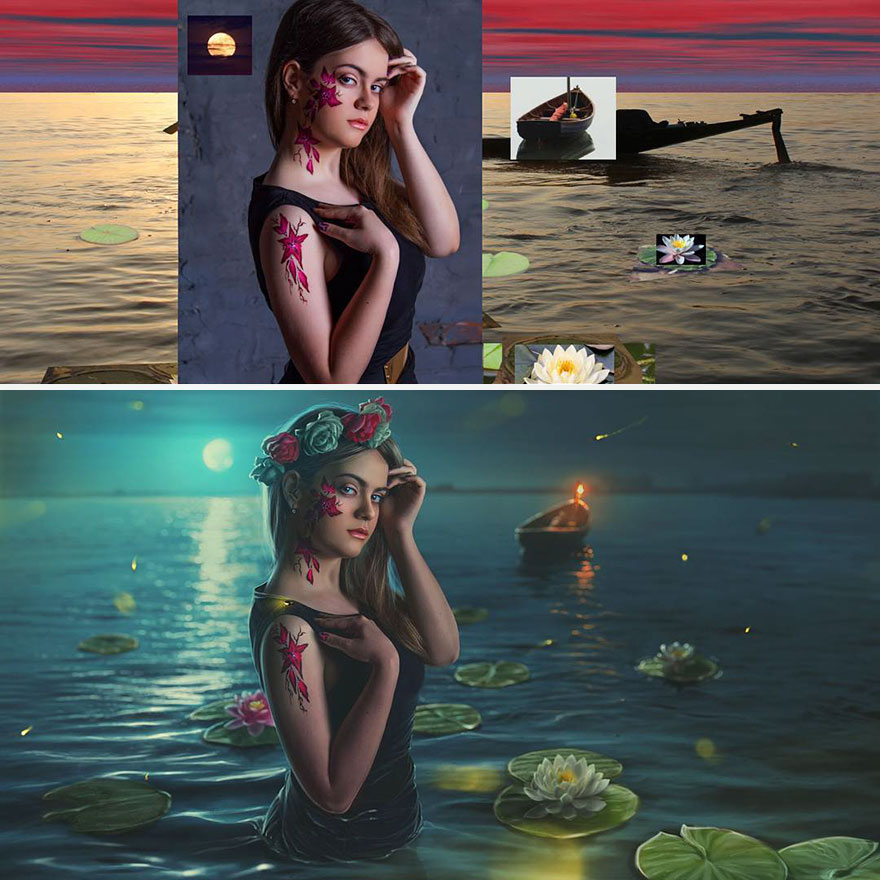
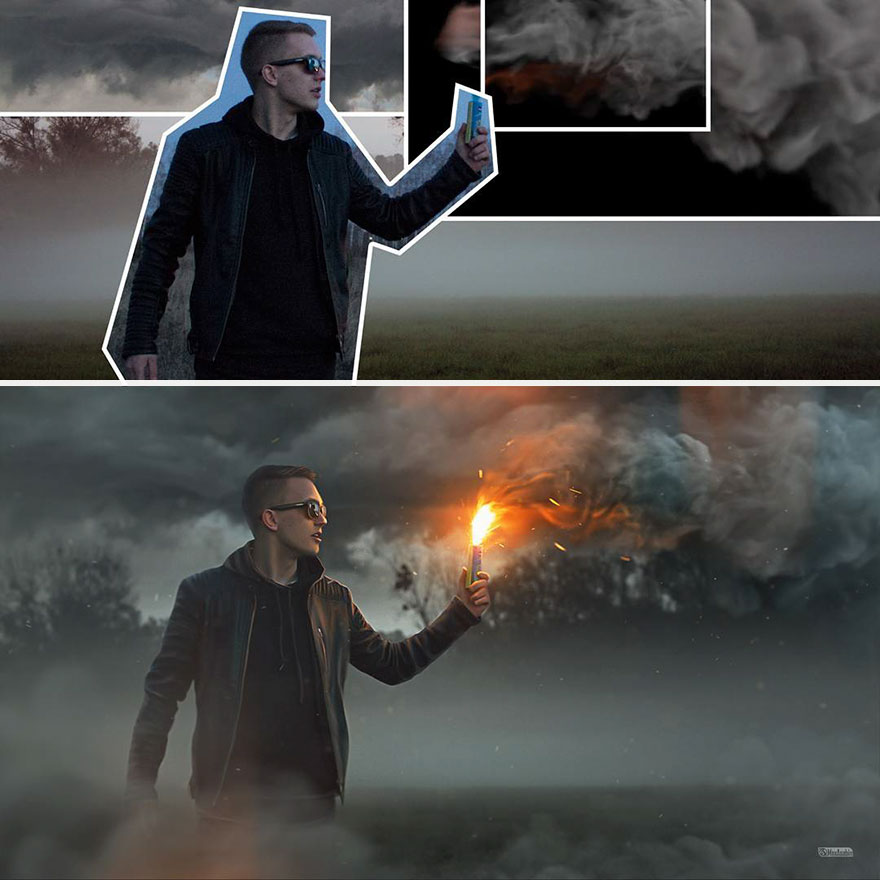
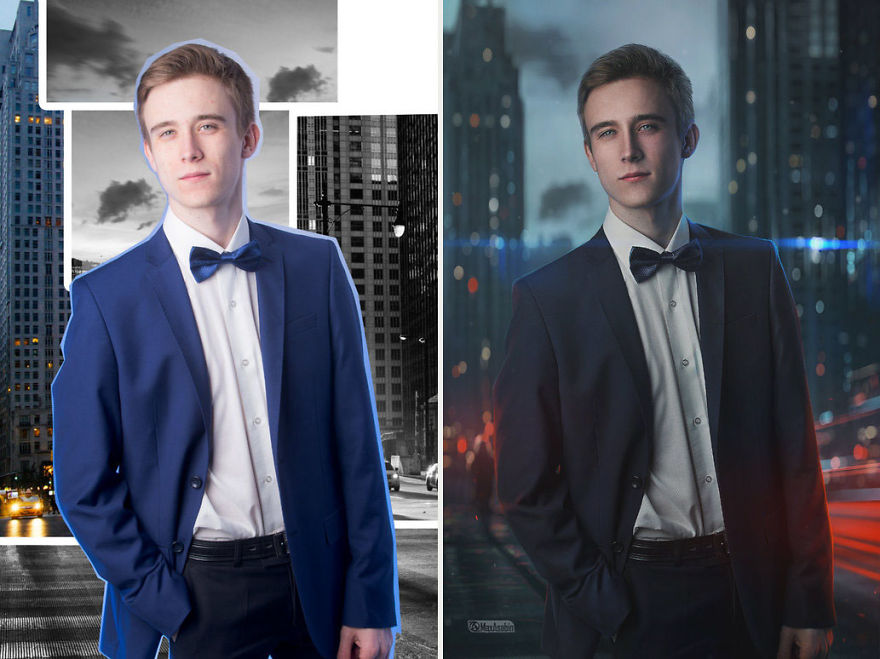
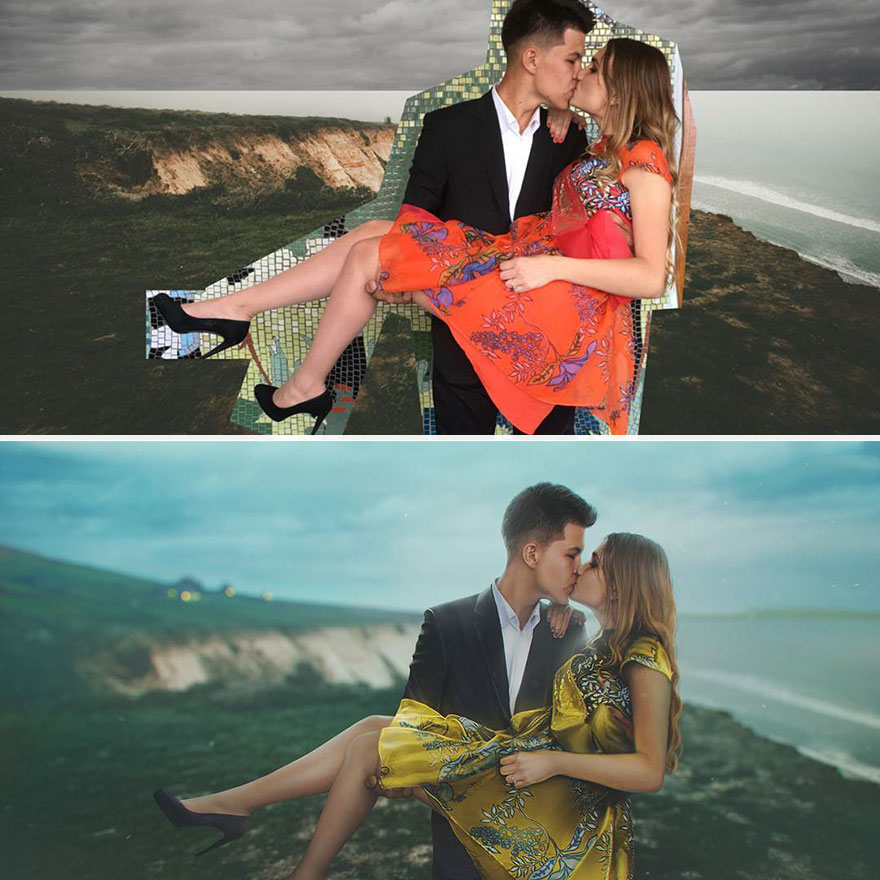
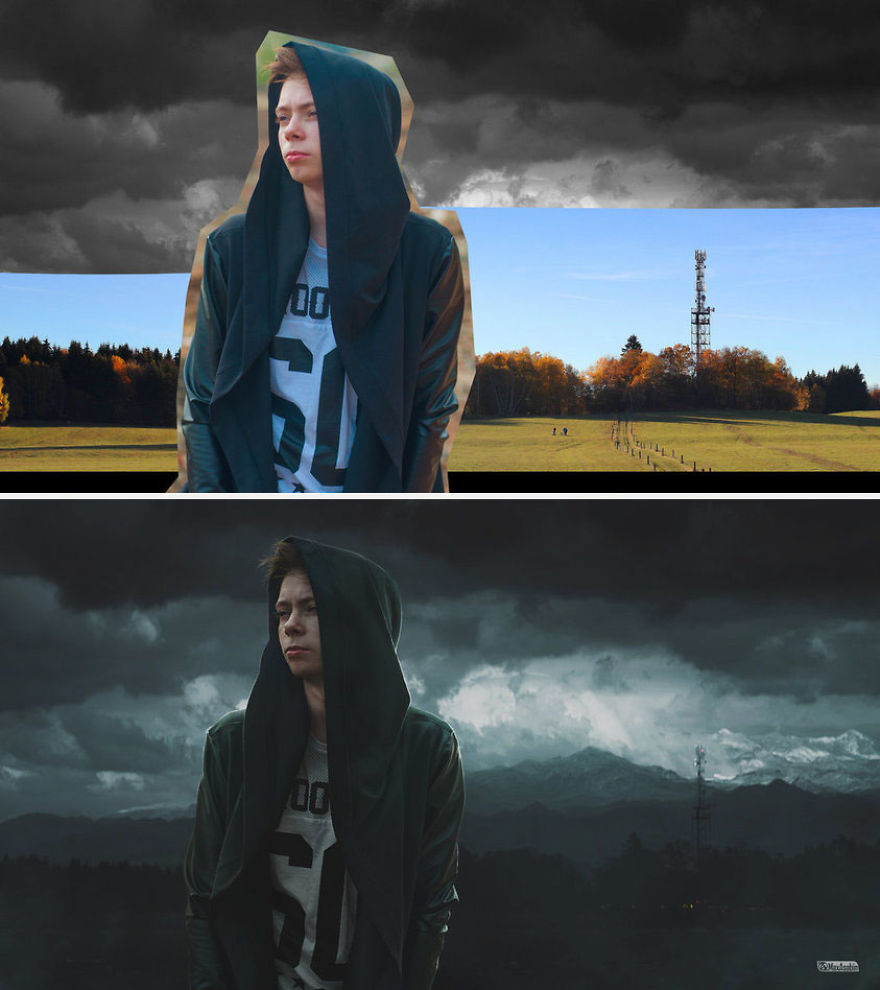
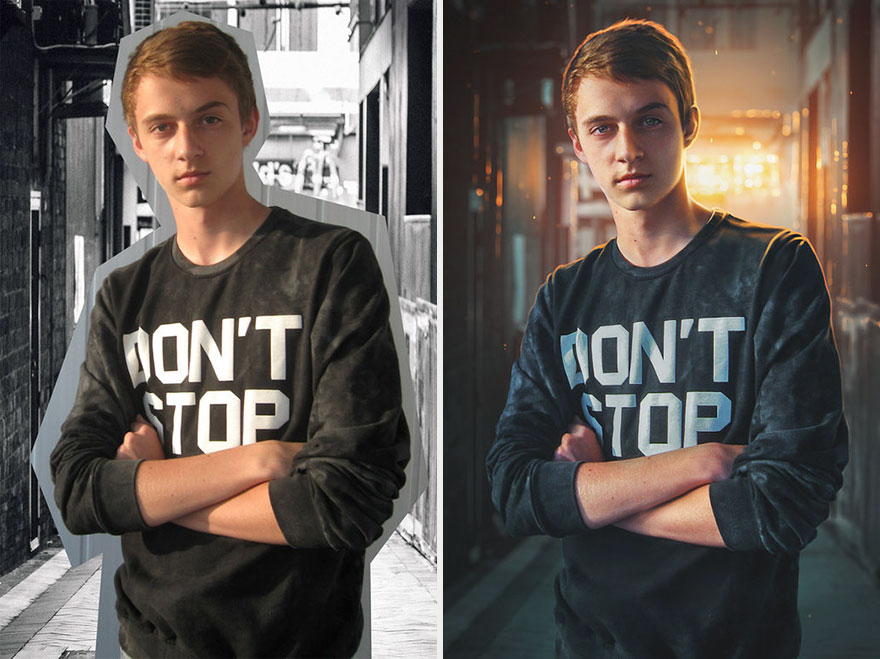
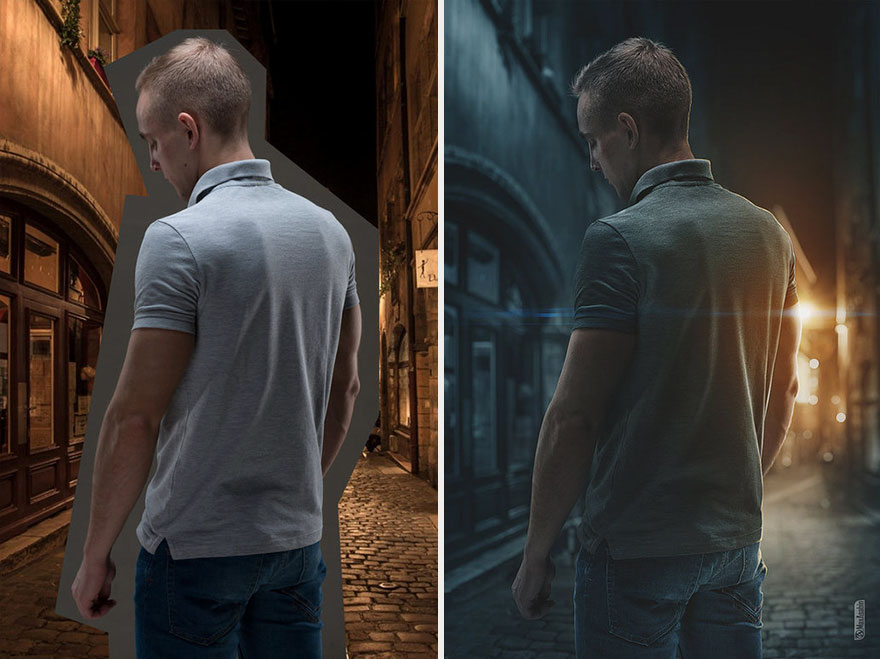
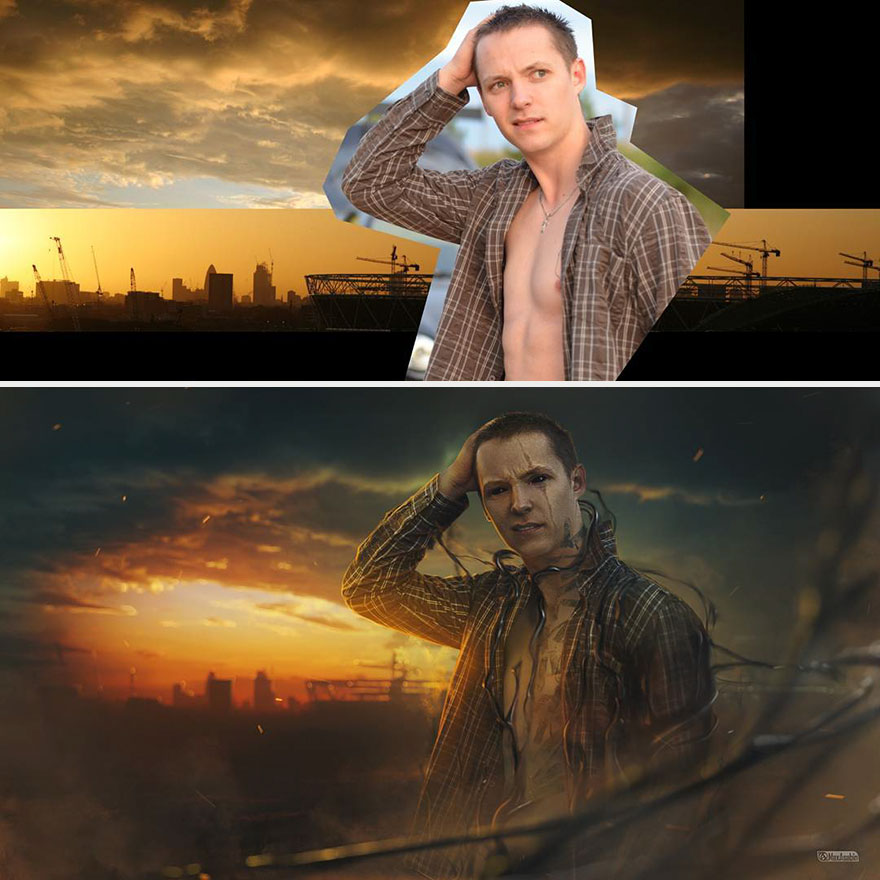
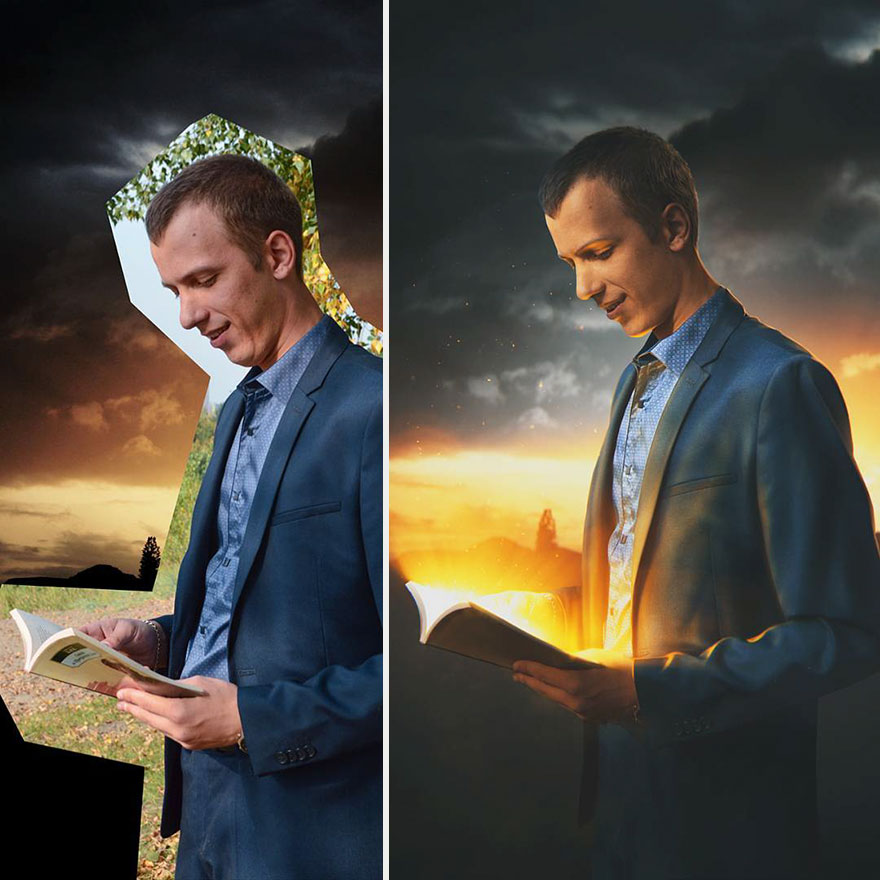
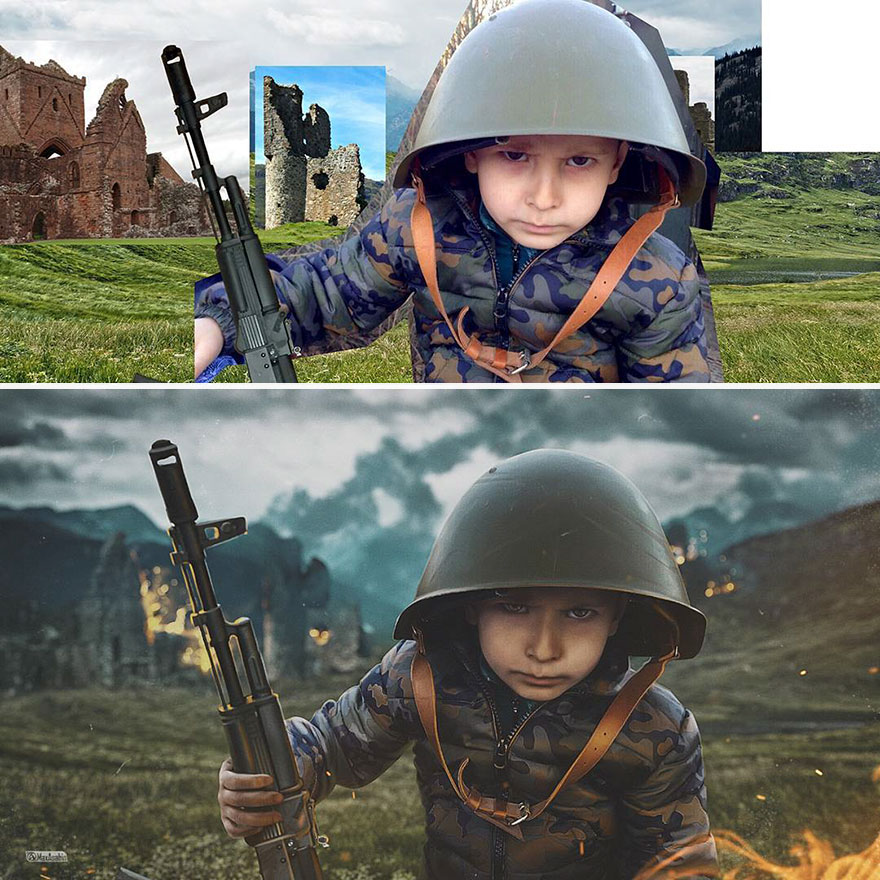
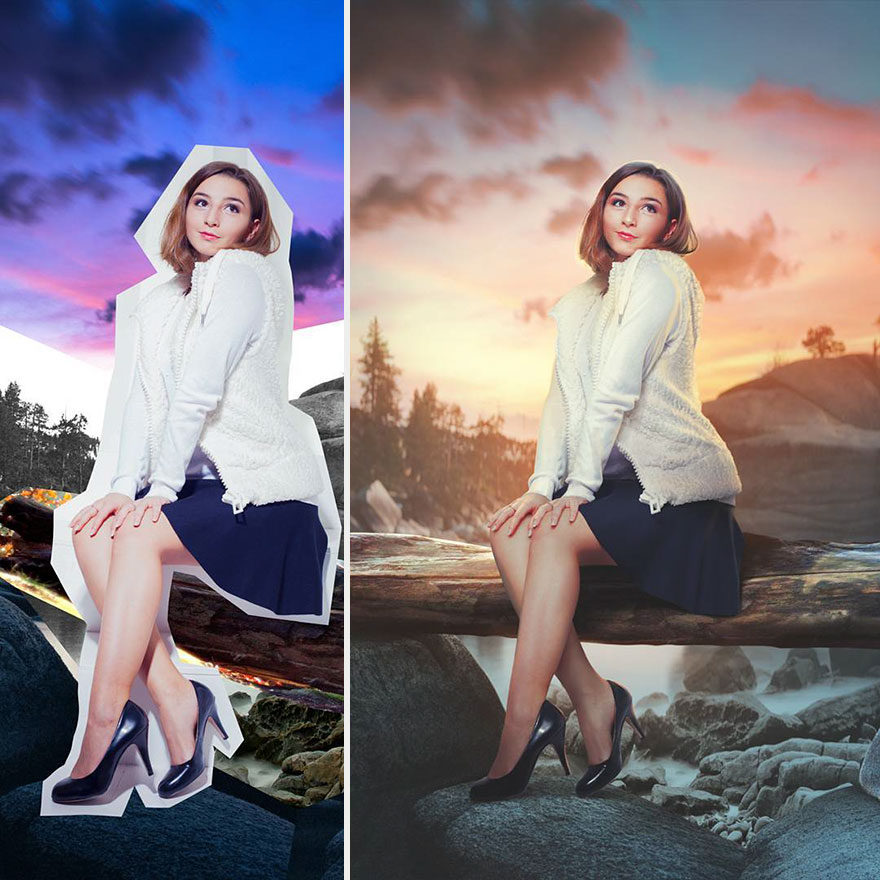
Max Asabin, a Digital Artist from Russia, layers multiple images on top of each other, and seamlessly melds them together to create one incredible picture. He does this by trimming the edges of each foreground photo, adding shadows and highlights, and adjusting the overall color to make the Photoshop images look extra realistic. With this technique, he can easily transport anyone into one of his breathtaking scenes. "Digital Art is, for several years now, my main job," Max told Bored Panda, though he has only ever worked freelance. He's been working with Adobe Photoshop CS6 since 2007 and is entirely self-taught.
Max has gained over 35 thousand followers on DeviantArt, where he frequently uploads his cool photos, since his latest piece - Sleepless - was posted on the website's main Facebook page. "Most of them left positive feedback, but there was also critique, both constructive and negative." He told us. "But in any case, I am extremely pleased with such attention!" Max is available for commissioned work, so drop him a line if your old family photos need a supernatural twist.
More info: DeviantArt, VK, Twitter, Instagram, YouTube, Tumblr
This post may include affiliate links.

great work! the step by step gifs on his deviantart are also worth take a look!

Somehow the original pictures are clearer in the after.. even the face and expressions seem more obvious

She is exceptionally pretty and the artist/GD is exceptionally brilliant :)

Photos do appear clearer but theres a little something like a fairytale in them not realistic.

the ps skills are great, but it is the imagination that is wonderful...great job

Isn't that the point - to make them more artistic than a "realistic" photo?
Load More Replies... 



Outsource Photoshop editing services for impeccable results. Elevate your images with professional touch, precision, and creativity. Enhance your visual appeal effortlessly. Quality outsourcing at its finest.


yes great imagination i must say. He added a lot of effects. there is a company that provides professional Photoshop services. If you want you can have such effects to your photos too. visit 'em: http://www.clippingpathed.com/

This chap would be a good candidate for special effects in the movies.


His name is in the bit they call an introduction at the top of the page.
Load More Replies...


Really awesome! Creative, great understandig of shadows and light, and knows the tools inside Photoshop. The only image that bugged my mind was the first one. The light around the edges needs more feather and blending to the 3D surfaces to look more real. It looks a bit cut out at the moment and 2D. But otherwise the others are really beautiful.




#4 was a really nice picture. You have a great skill in photosho[




the result is insipid, he need to upgrade his Ps skill level for the density of its blacks...


Imagination is good. Giving these effects are not difficult. Photoshop experts would agree . Very easy to give these effects🙂

being a Photoshop professional, i can say this is not very easy to do. Most of these have at least some level of digital painting done to them, not just a Photoshop effects filter or adjustment applied.
Load More Replies...
Nothing special... mid-range PS skills at best... https://dominik-photography.com/
the ps skills are great, but it is the imagination that is wonderful...great job
Isn't that the point - to make them more artistic than a "realistic" photo?
Load More Replies... Outsource Photoshop editing services for impeccable results. Elevate your images with professional touch, precision, and creativity. Enhance your visual appeal effortlessly. Quality outsourcing at its finest.
yes great imagination i must say. He added a lot of effects. there is a company that provides professional Photoshop services. If you want you can have such effects to your photos too. visit 'em: http://www.clippingpathed.com/
This chap would be a good candidate for special effects in the movies.
His name is in the bit they call an introduction at the top of the page.
Load More Replies... Really awesome! Creative, great understandig of shadows and light, and knows the tools inside Photoshop. The only image that bugged my mind was the first one. The light around the edges needs more feather and blending to the 3D surfaces to look more real. It looks a bit cut out at the moment and 2D. But otherwise the others are really beautiful.
#4 was a really nice picture. You have a great skill in photosho[
the result is insipid, he need to upgrade his Ps skill level for the density of its blacks...
Imagination is good. Giving these effects are not difficult. Photoshop experts would agree . Very easy to give these effects🙂
being a Photoshop professional, i can say this is not very easy to do. Most of these have at least some level of digital painting done to them, not just a Photoshop effects filter or adjustment applied.
Load More Replies... Nothing special... mid-range PS skills at best... https://dominik-photography.com/







 No fees, cancel anytime